– Further research –
Semi-realism sketches
Based on the research I did in the beginning of the PDF for this project, I did some experimental sketches using the semi realism techniques I looked into that could potentially be applied to my final pieces.
Poll voting
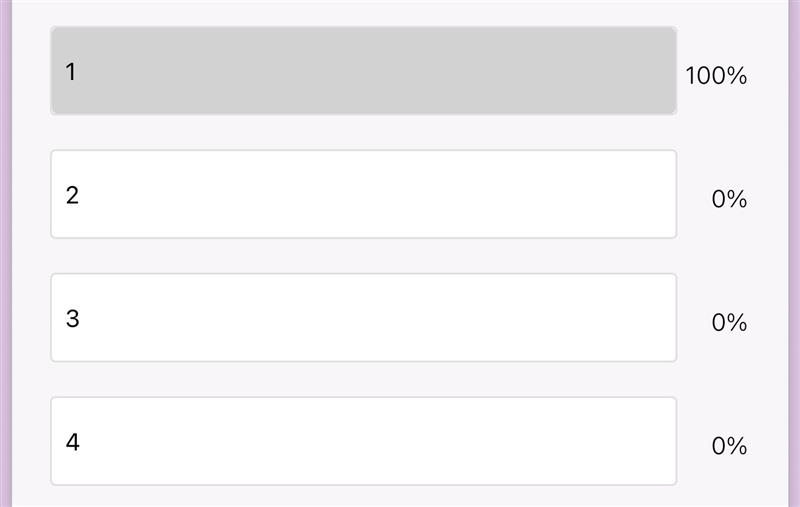
To decide on a design, i did a poll. This helped me quickly decided on what design were the most appealing to the viewer.
Mages institute, student work references
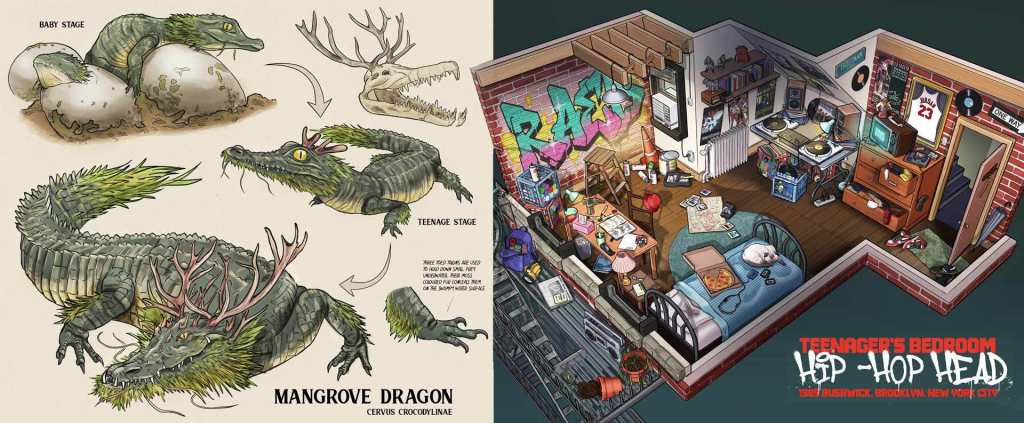
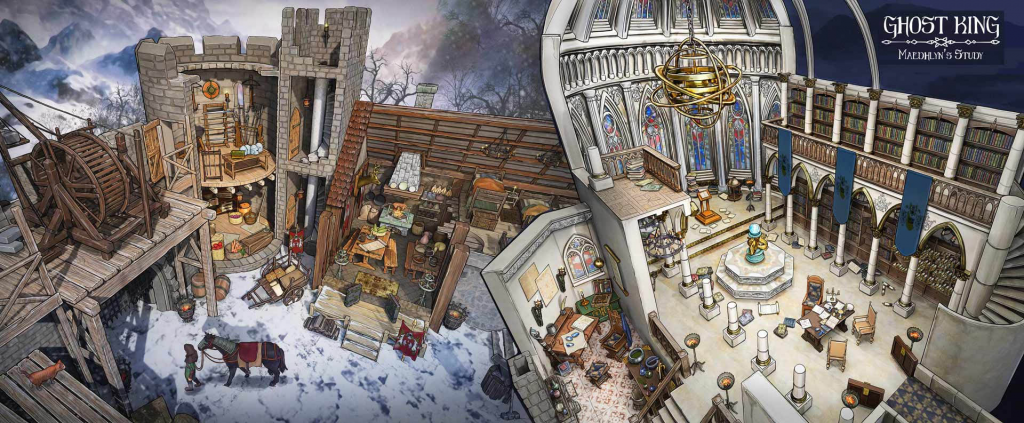
To look at some references for environmental design, I looked at some of the student work at Mages Institute in Singapore. I really like the work the students there produce, as it’s really high quality and really detailed in my opinion. I also like how unique the environment designs are and how they are able to incorporate the most random assets into an environment and make it work. I would like to take inspiration from the artworks above when creating my own environments, whether that’s how they have shaded it, the perspective or the immense detail.
Different lightings in environments
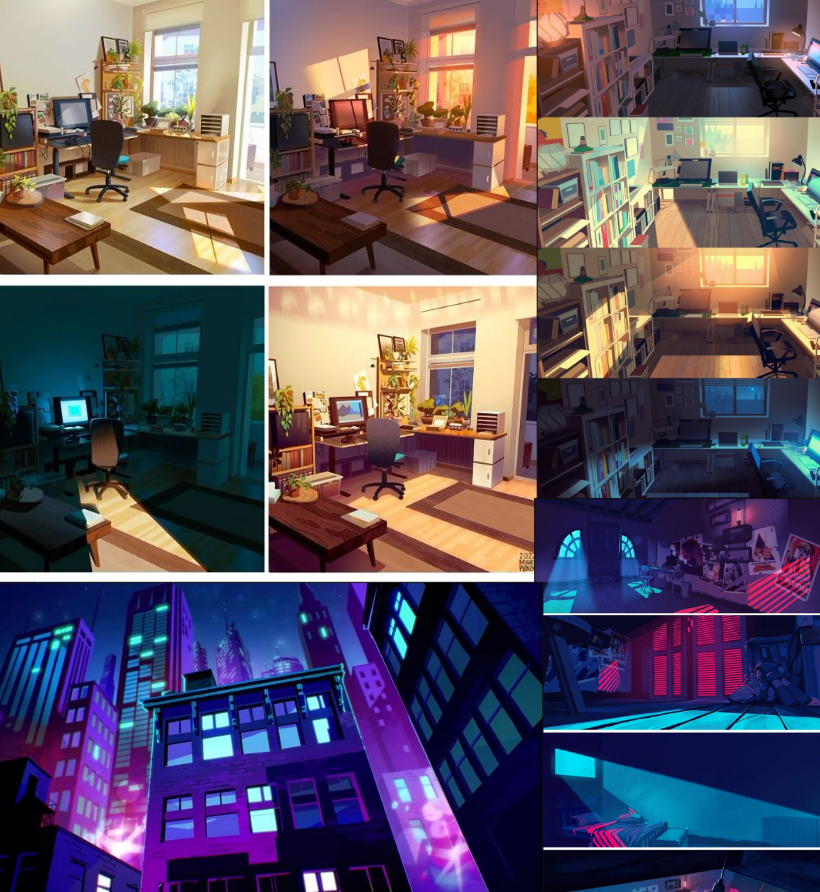
During this project, I want to work a lot on my shadow and highlighting, especially in environments. Because the theme is Afrofuturism, there will be a lot of futuristic things within the environment, and a lot of futuristic assets tend to have crazy lighting. So, looking at some examples and techniques would 100% help.
Enhanced side character 1 mood board
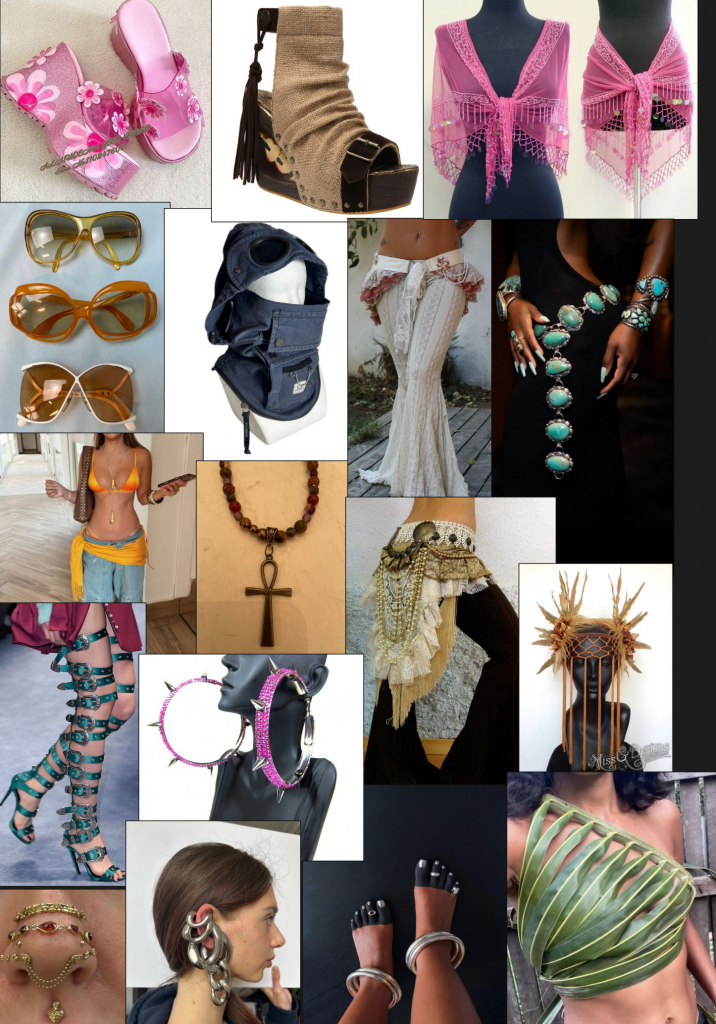
To get more of a specific idea on what I want my side character to look like from small details such as jewellery to items of clothing, I made this mood board so I would be able to put all my reference/inspiration pics into one.
Enhanced side character 2 mood board
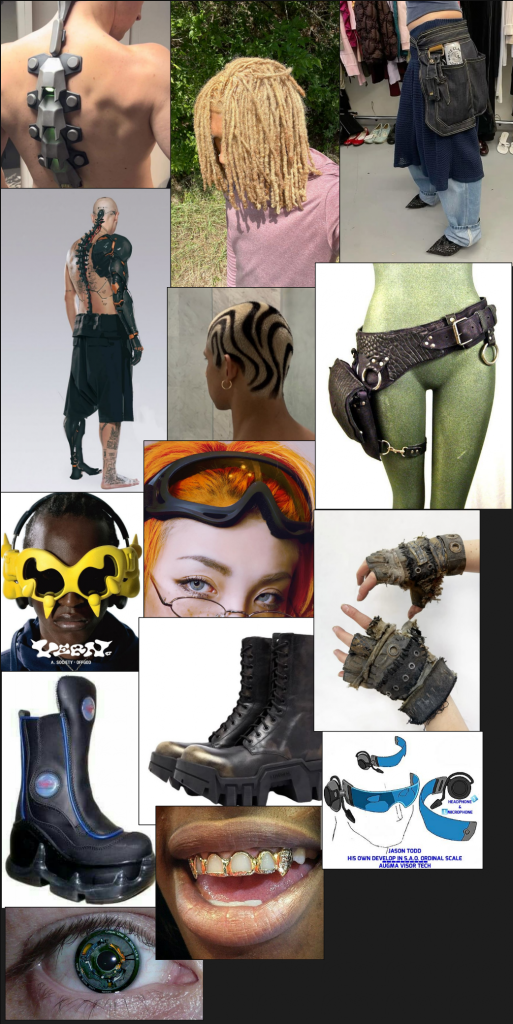
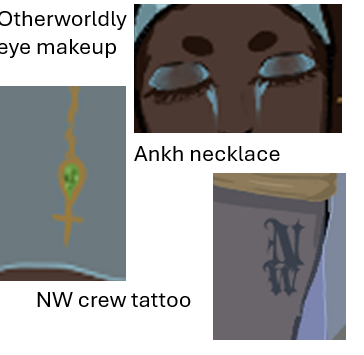
To get a better idea on what i want my side character to look like i researched into specific features i want the character to have. Things such as as clothing, hair, accessories and even anything to do with the character features like otherworldly eyes.
Research into techniques
videos
This video helped me a lot while watching the process of this environment design as it gave me a rough idea on how I should go about planning step by step what i should be doing when it comes to designing my 2 environments. I also think the way he designed also helps with time management as it saves a lot of time designing in these steps.
How to Add Light to your Painting like a Pro ( Concept Art Tutorial )
This video gave me some insight into how professionals paint and light their concept art environments.
www.youtube.com. (n.d.). TOP 10 TIPS FOR ENVIRONMENT ART (FEATURING YOUR ART!). [online] Available at: https://www.youtube.com/watch?v=46wPyZ1LOwM.
This video gave me some useful tips i could use/apply onto my environments during the production of it.
EXTRA PROCESS AND DEVELOPEMNT ART
Different materials used for characters
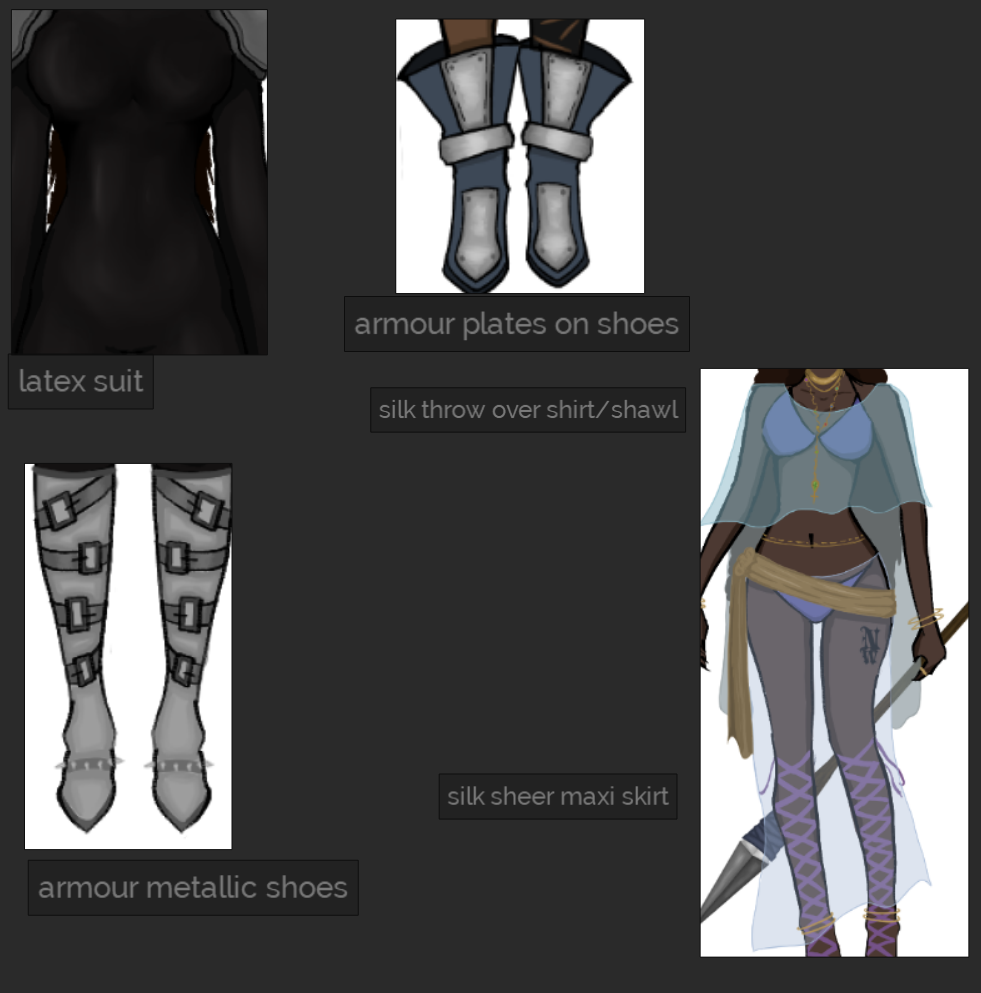
Based on my research at the beginning of the E2 project, I look at different types of materials I would want to include in my design. And out of them all, these are the sole ones that actually were included. I included these materials specifically as I feel they fit each of these characters the best.
Examples of semi-realism in character design
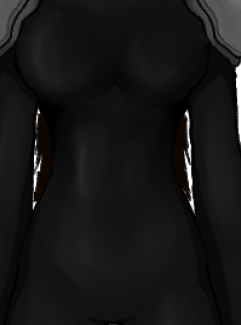
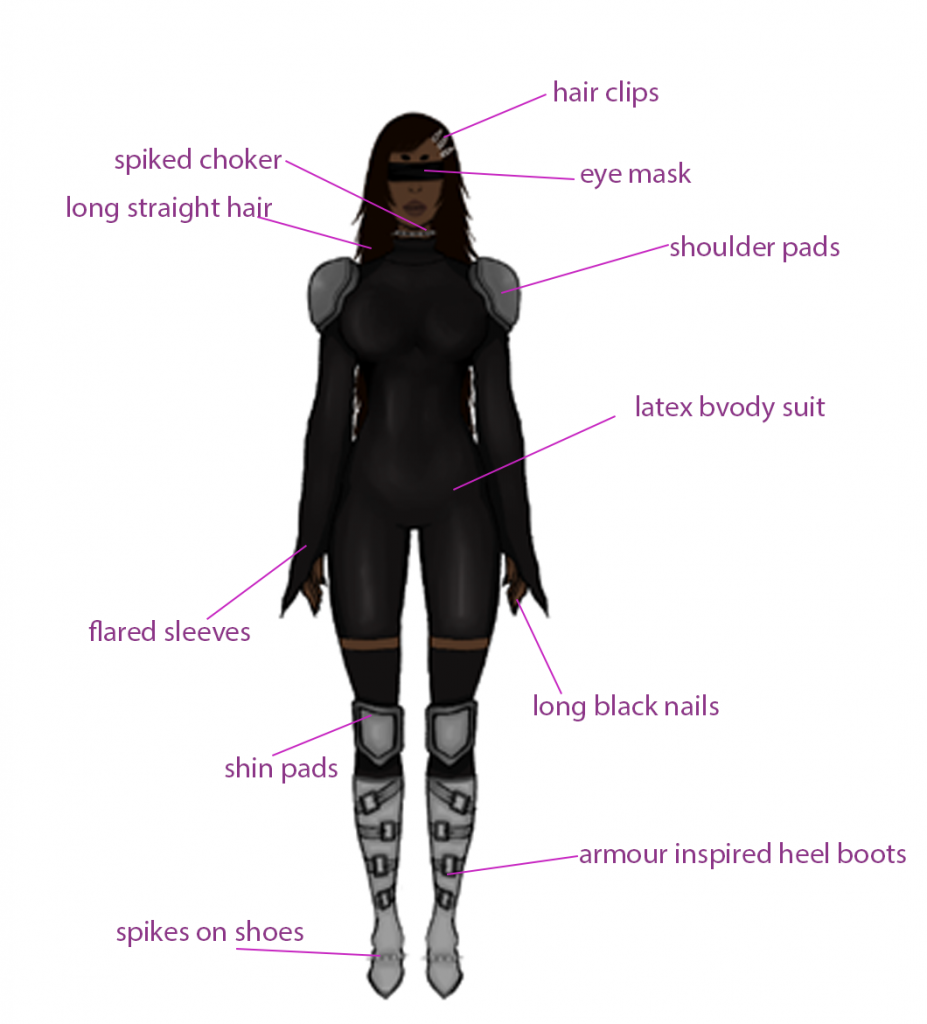
This latex body suit I did for side character 3 is a result of my semi-realism study at the beginning of the project. I researched different shading methods from videos and Pinterest, which helped me in shading a very realistic body that can be seen shining in a latex suit. The shine of this outfit also tells us that this is a latex suit, just from the way it has been shaded and highlighted.
The Kaftan dress – how I applied it to my character
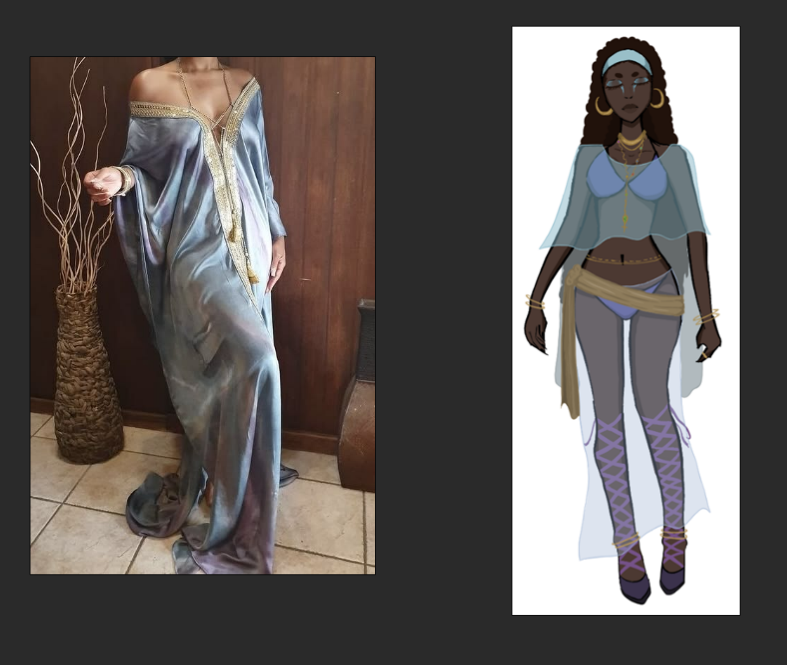
What is a kaftan dress?
A kaftan is a long, loose-fitting, and flowy garment with wide sleeves, historically worn in the Middle East and North Africa. Often made from lightweight fabrics like silk, cotton, or chiffon,
How did i apply it to my character?
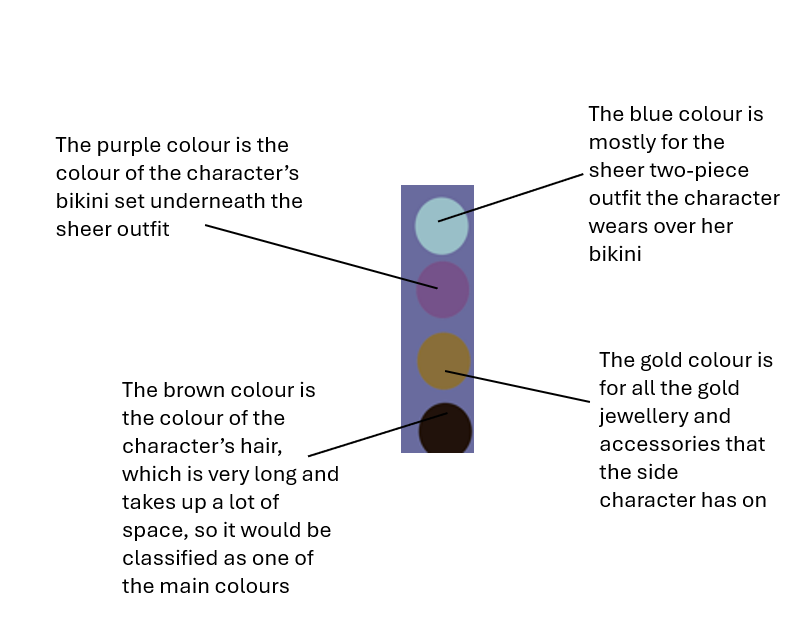
Using the kaftan dress as inspiration, i did something similar to the dress but as a two piece outfit where the character is mostly covered but isnt. Adding a uniqueness to it i made the two piece set sheer silk which is different from the original design of the inspired dress.
Reason for my colour scheme
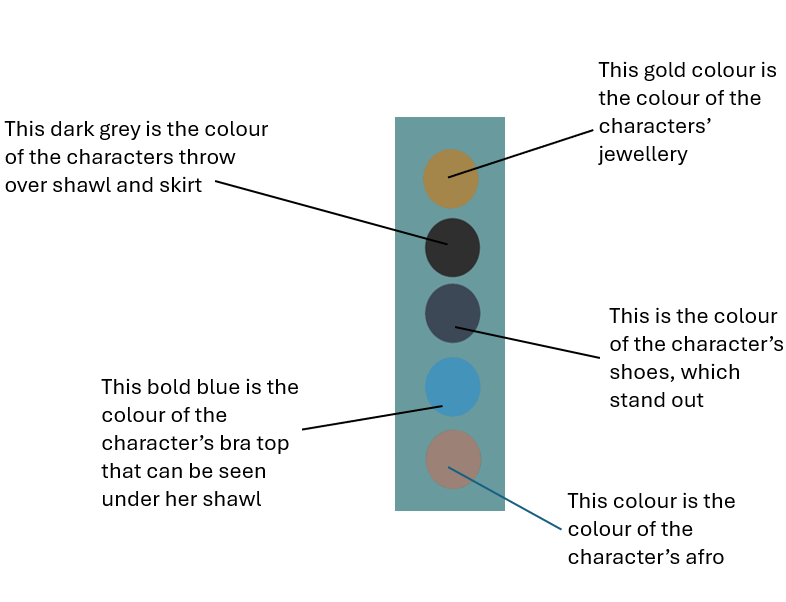
I decided to go with this colour scheme for both my characters and my environments is because i feel as though it best fit the theme and aesthetic of this world. I also think the colours add to the narrative and world building.
Punk style and its link to my character
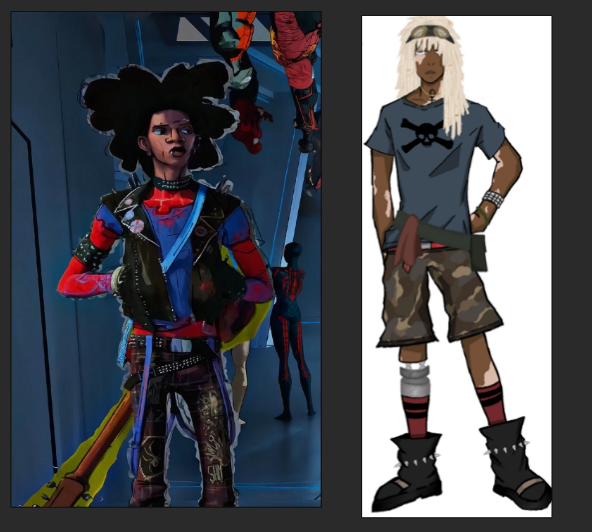
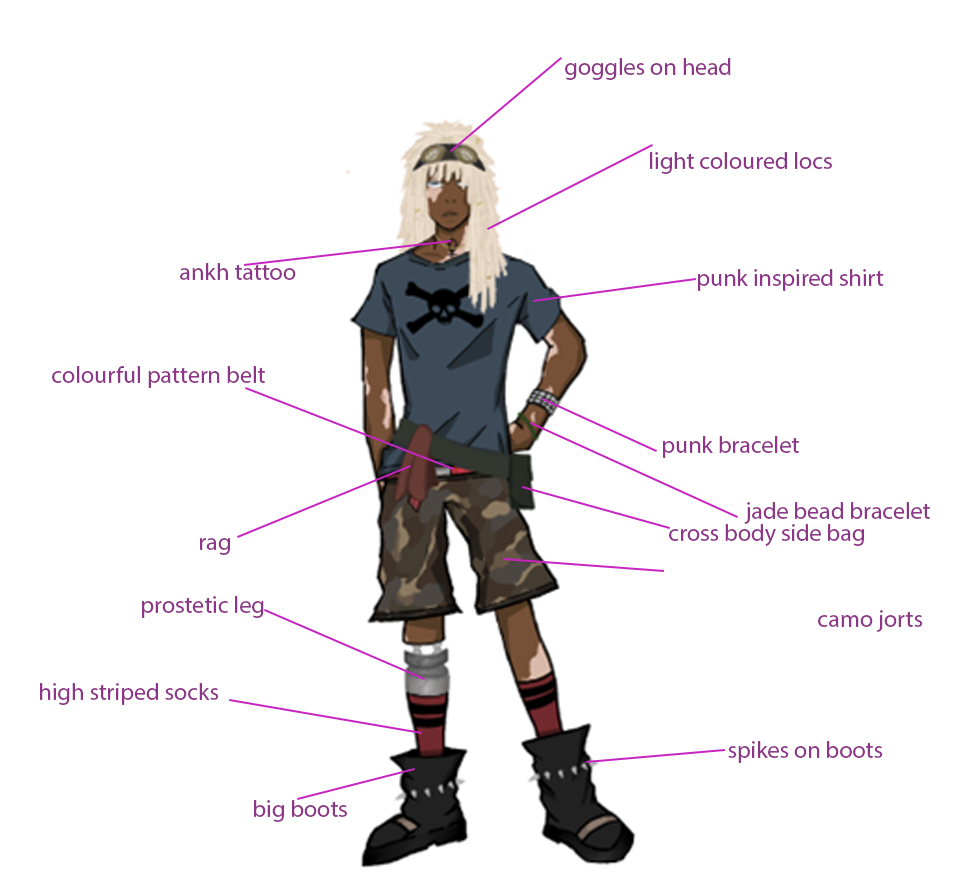
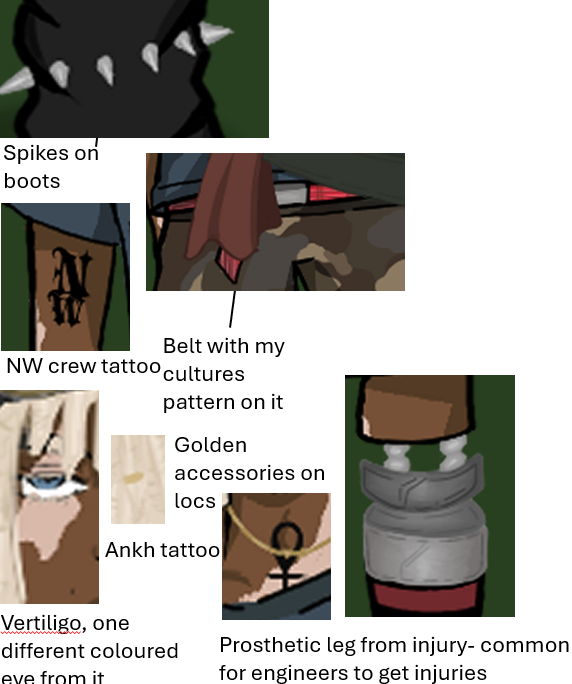
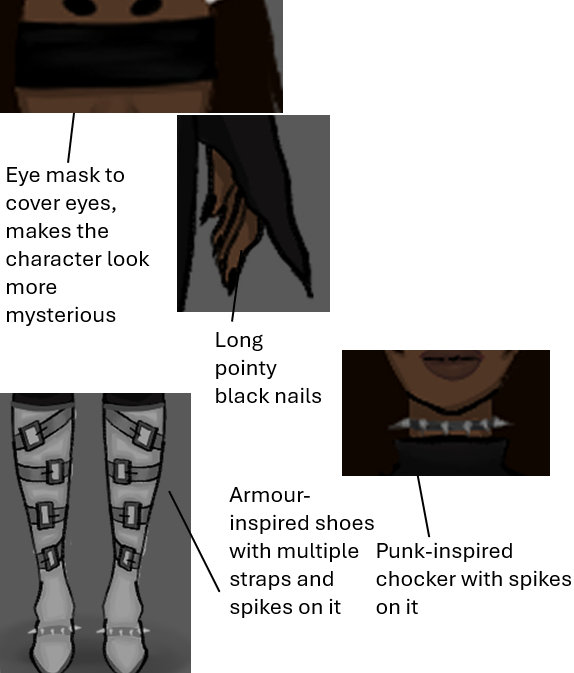
I wanted to link my side character, Lucien, to the character Spider-Punk from across the Spider-Verse, as I think they have some similarities. The lore of my characters is that they are a rebellious crew that goes against the government, and I think Spider Punk is just like that. Throughout the movie he is in, he openly talks about how he rebels against the government or anyone in power. Not only that, but the punk style as a whole is a style very much associated with rebellion, so to take some inspiration from the design of spider punk i incoperated some punk types of clothing for this character. Things like:
. Punk skull tshirt
. Punk themed bracelet
. spikes on boots
give me very punk vibes.
UNUSED ART- WHY?
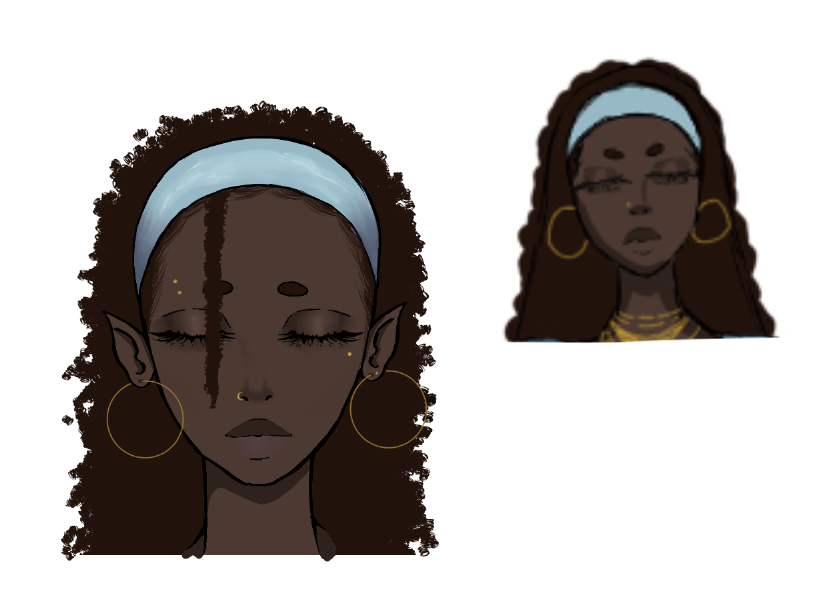
I didnt use this headshot as i think it doesnt match the art style i am going for as this headshot is too detailed.
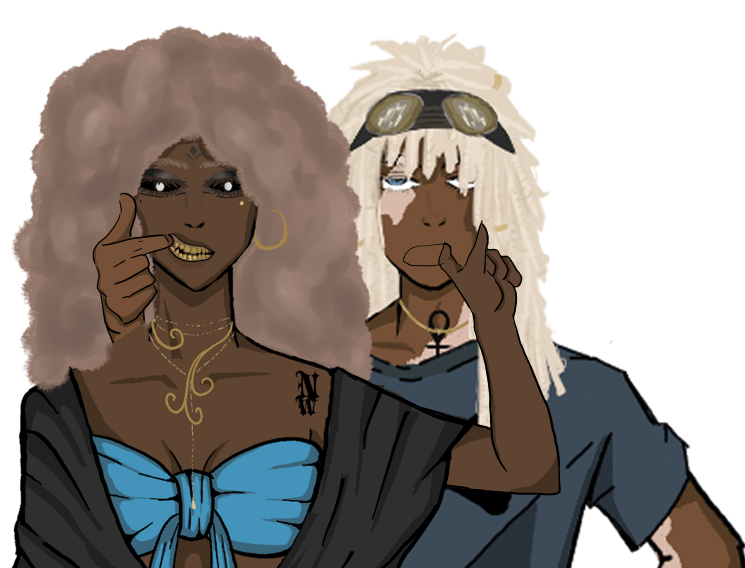
i didnt end up using this unfinished art work as i thought that it didnt really go well in terms of putting it somewhere in the art book. I also dont like how it was turning out as i had a hard time creating the right positioning for the teeth on the main character.
Street Lamp
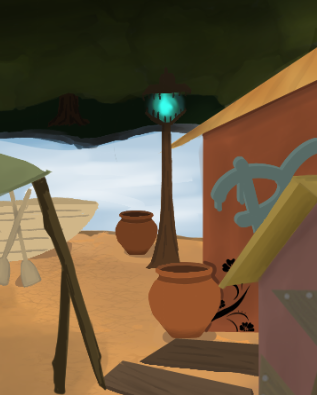
The street lamp didn’t end up in the final environment as i thought it didn’t work well. As lamp needs wires/ electricity to work placing it on dirt/mud wouldn’t make sense therefore i removed it.
Speaker
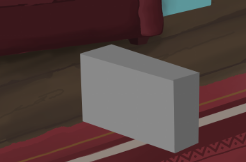
I thought the speaker didn’t really fit in well with the indoor environment as it had no where to go an if i did put it in the composition of the environment would look off as there would just be too much in there so i removed it.
Graffiti
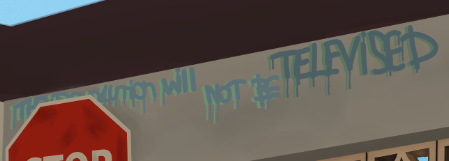
I decided not to use the graffiti on the wall for this environment as i thought the colours and whole design of it didnt fit the environment. The environment gave off a clean and well kept look and in my opinion i thought the graffiti indoors didnt fit in with it.
Unused cover design art
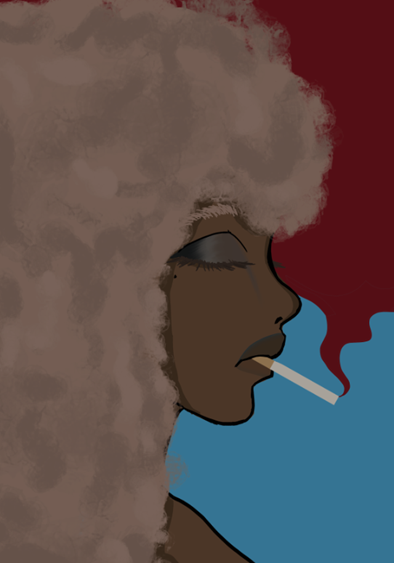
I decided not to use this cover art as i thought it looked too similar to the art i already have and i would like to avoid repetition as much as possible. I also thought the background of the character was too plain and that it didnt fit the character well.
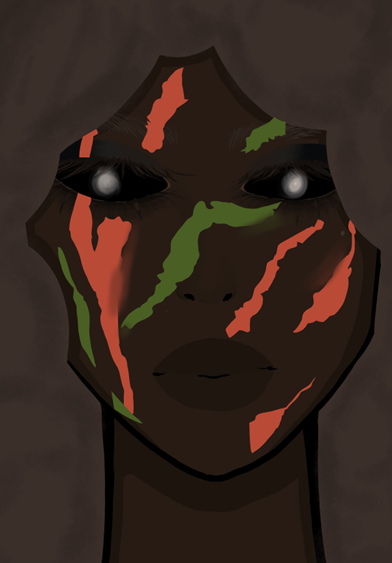
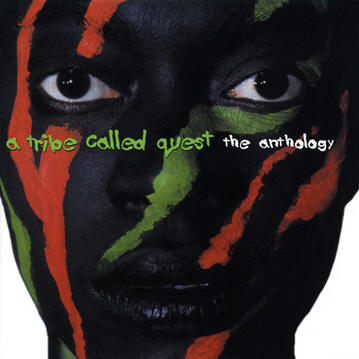
i wanted to take inspiration from this album cover so i did this headshot of the main character in the same style as it as inspiration. But after careful consideration i didn’t like the outcome so i decided to not use it.
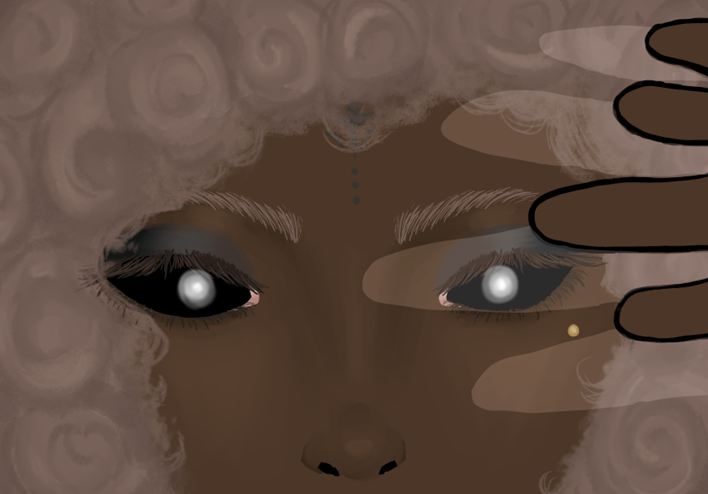
I also decided not to use this artwork as I thought it was way too detailed and didn’t match my chosen art style or any of the character designs I have already done.
Designs I can add into my art book
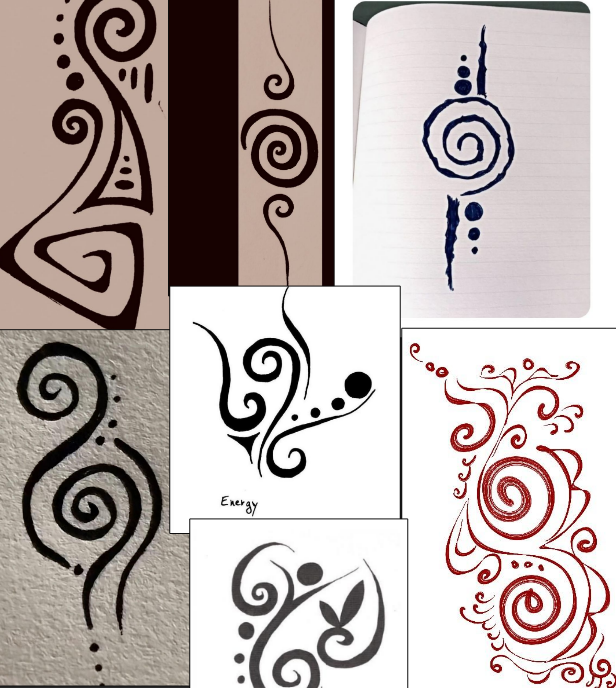
I will be taking inspiration from this mood board to add to my art book. I will be using some Afrocentric-like design to make my art book pages less boring and more unique.
Brushes used in both environment and characters and why

I used this brush for blocking in colour that the polyline tool couldn’t. It is also good for use to try and make straight lines.
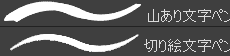
these two brushes are the main brushes i used for the characters and environments the bottom brush was used for outlines and the top was used for shading. The bottom brush made the outlines look thick which matched the Shibuya punk style i was going for.

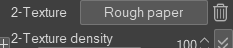
This pencil was used for the main characters hair to create an afro like texture.
Why did i go for more flat colours?
I went for more flat colours only for my character design, as it would match the chosen art style I wanted to go for. On the other hand, the art style does not apply to the environments, so that’s why the designs are different between the two. I also decided to change it up and make the expressions on the character headshots more detail slightly altering the chosen art style, just because I thought if it is up close, it should be slightly more detailed.
Character design annotations
MAIN CHARACTER
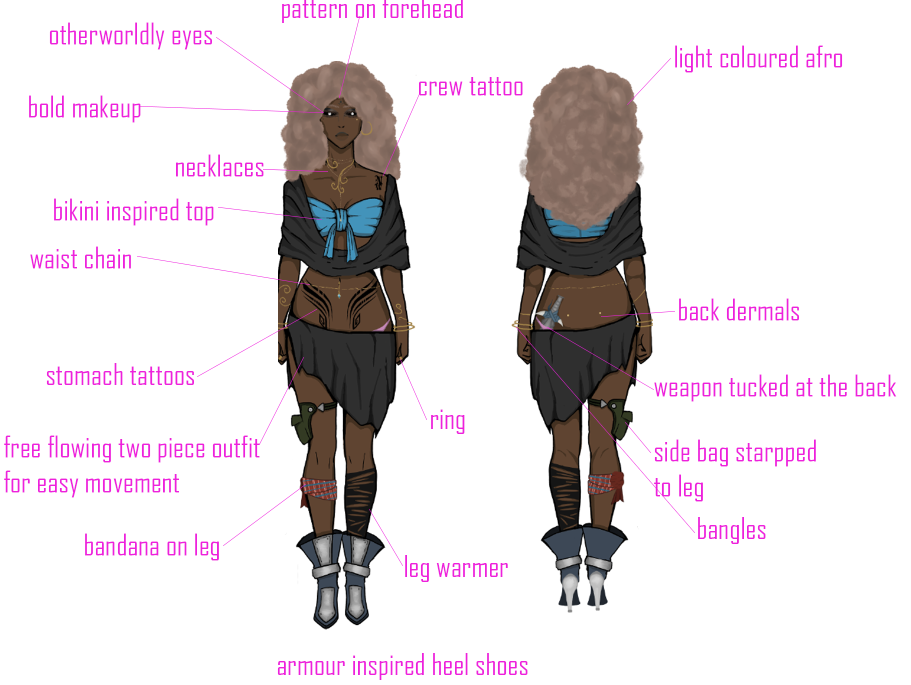
SIDE CHARACTER 1
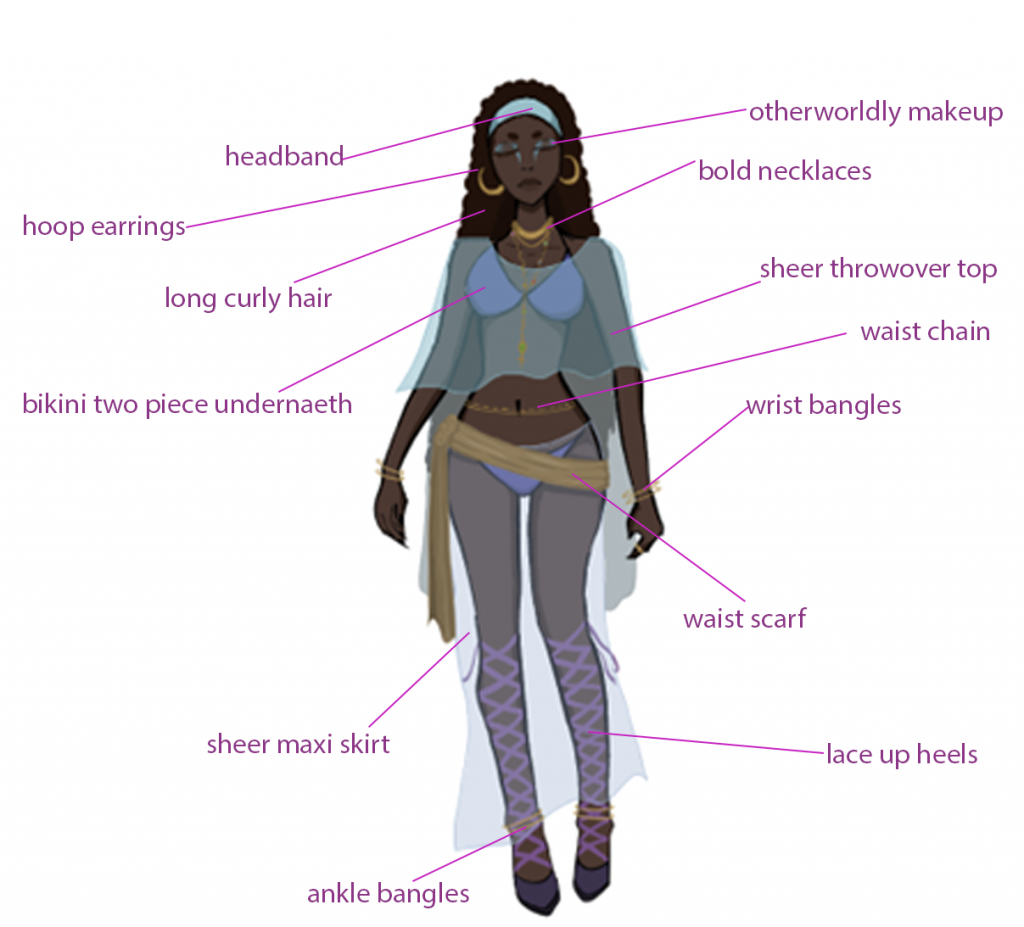
SIDE CHARACTER 2
SIDE CHARACTER 3
In depth character annotations – main details
MAIN CHARACTER
SIDE CHARACTER 1
SIDE CHARACTER 2
SIDE CHARACTER 3
Colour pallet annotations
MAIN CHARACTER
SIDE CHARACTER 1
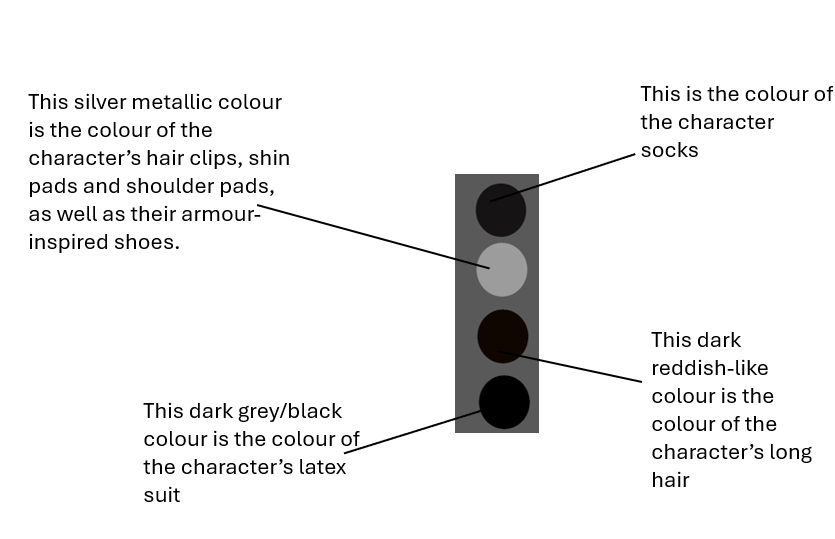
SIDE CHARACTER 2
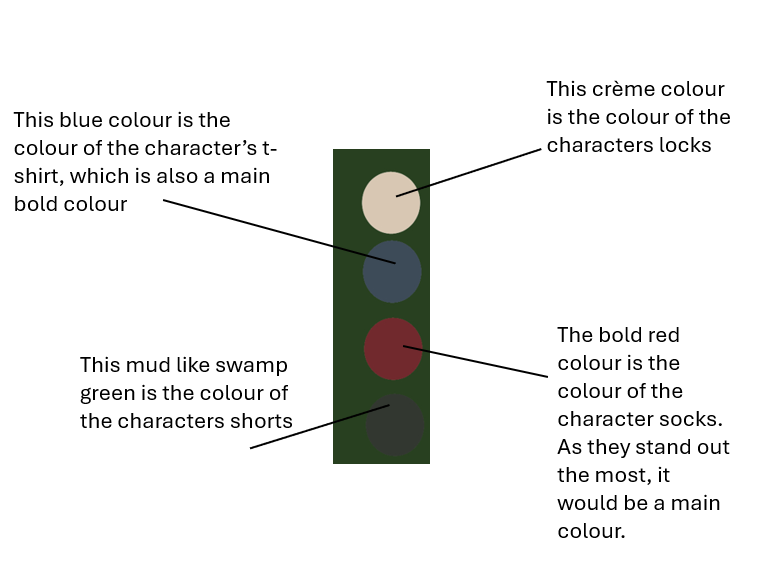
SIDE CHARACTER 3
Character design link to my culture
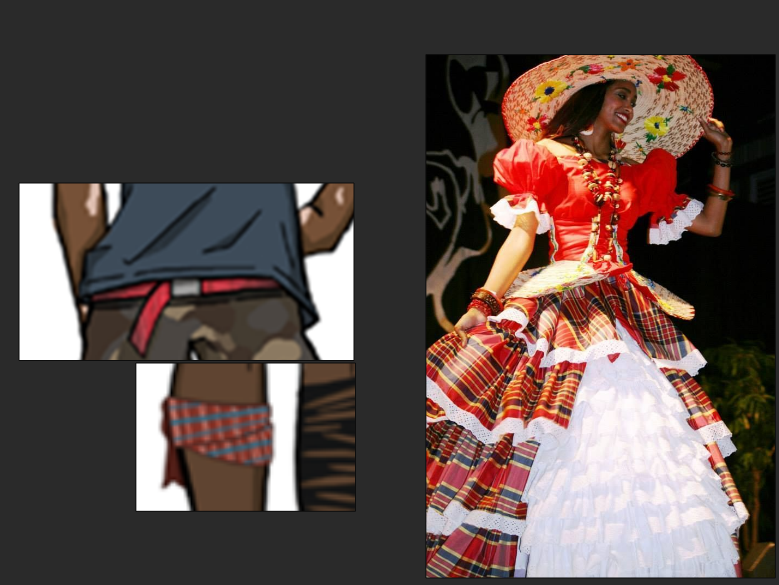
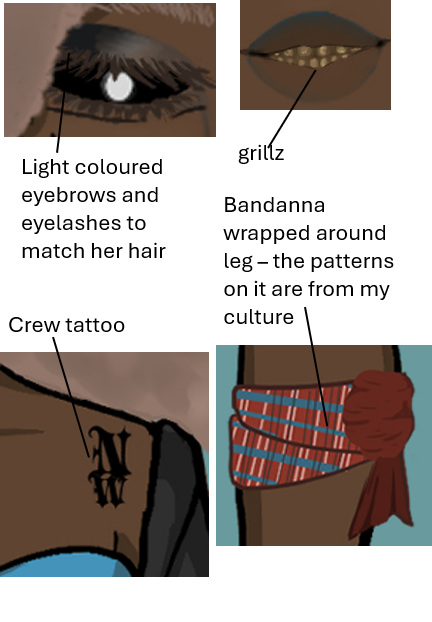
To link my culture to my character designs which was my plan from the start of E1 i added small features such as a belt and a leg bandanna with the patterns of my culture on it. I would of liked to incoperate more patterns into my character designs which but because of the chosen colour scheme it was tricky.
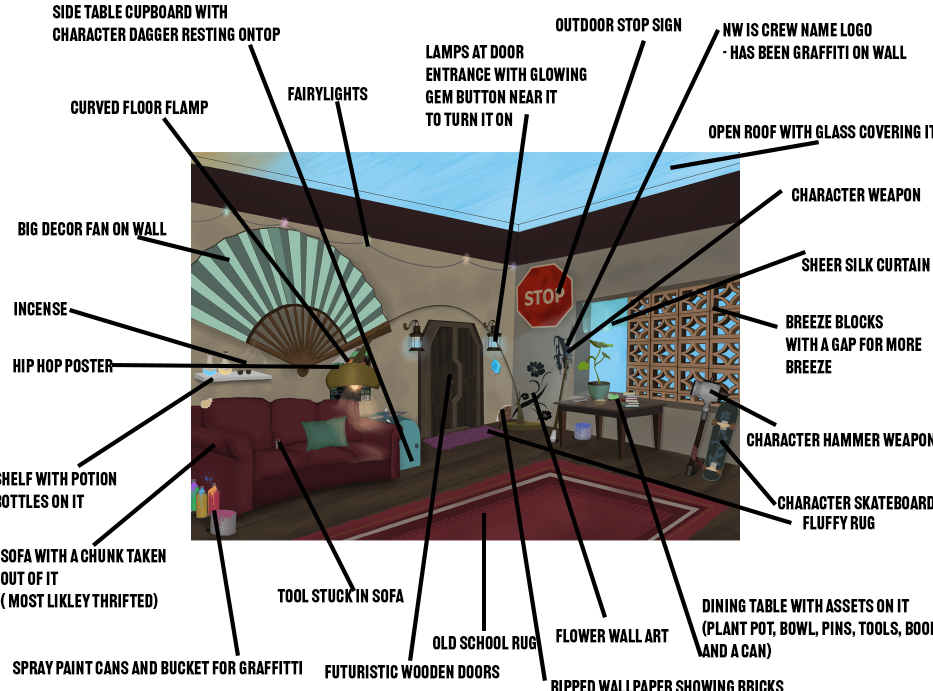
Environment annotations
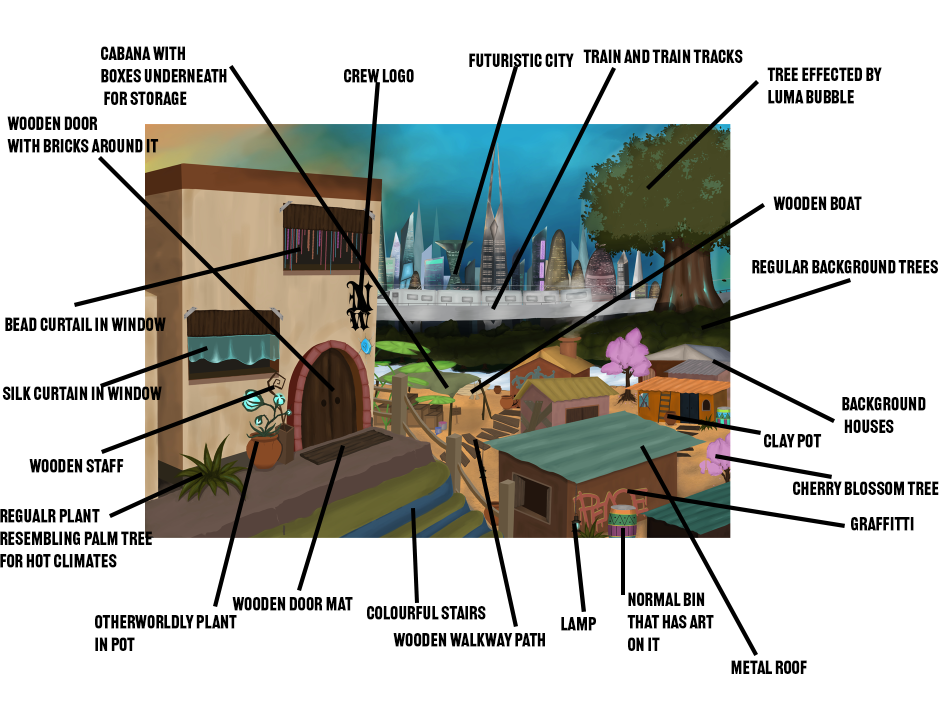
Environment values
I decided to look at the Environment values after completing them in full colour to see if the colour palette I picked for them all works.
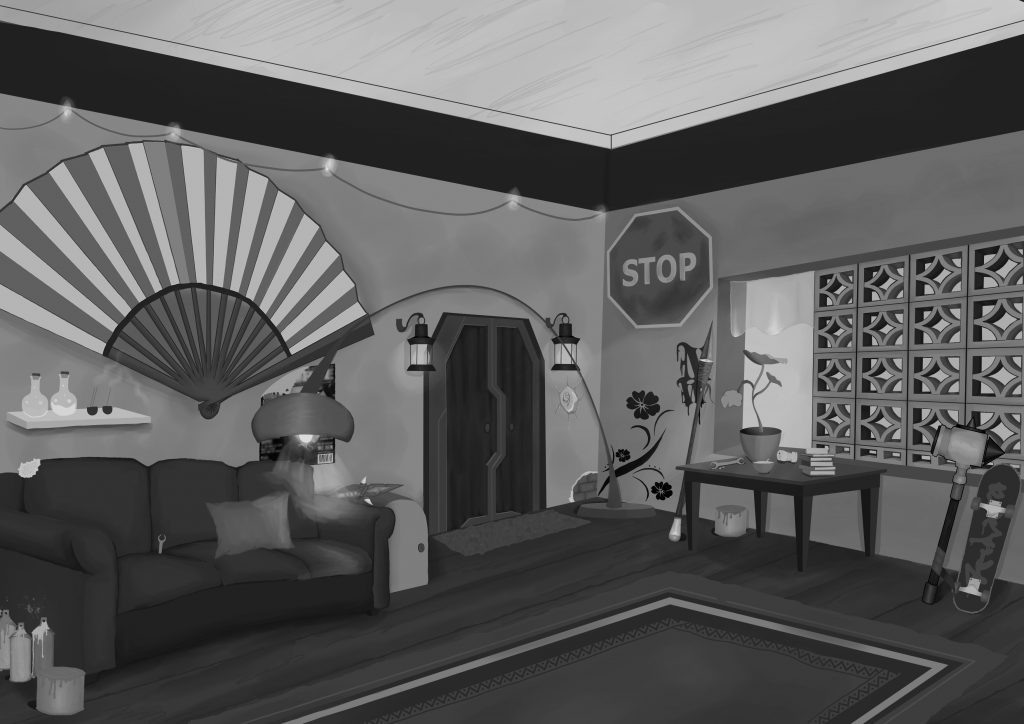
I think i could of used a lot more lighter colours as you can barely differentiate the difference between the colour of the flooring compared to the colour of the couch.
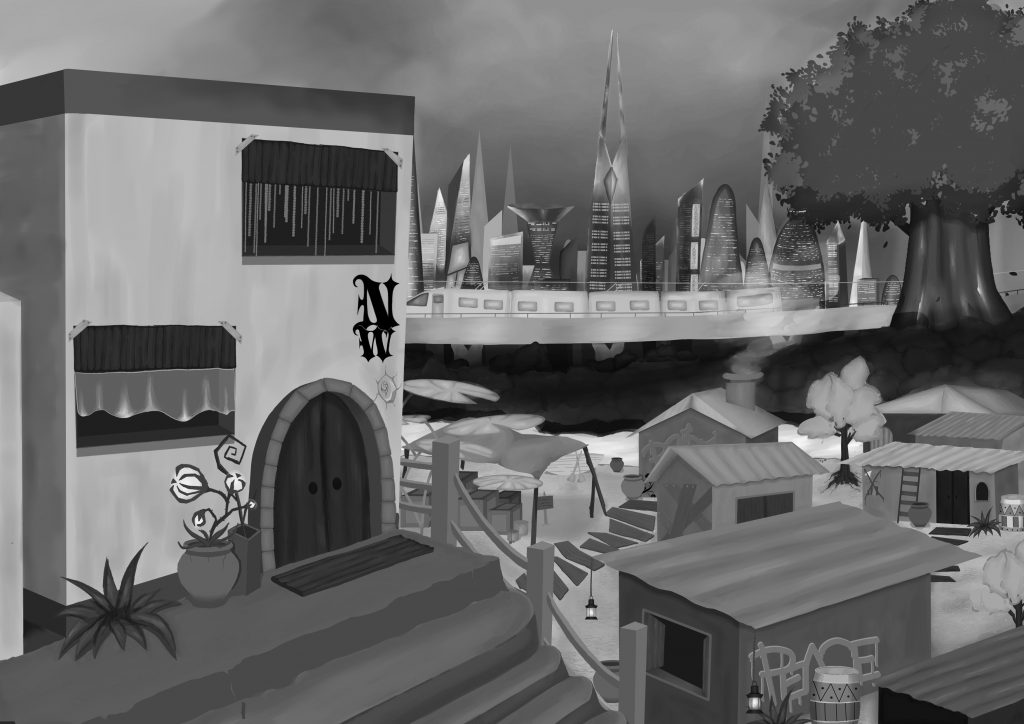
I think I could have made the background trees a lot lighter, as well as not having too many harsh shadows on top of them, making it appear too dark.
Techniques I used and why
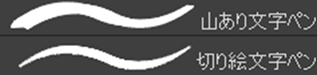
I used these two downloaded brushes to create the thick lines seen in the Shibuya art style for my characters.

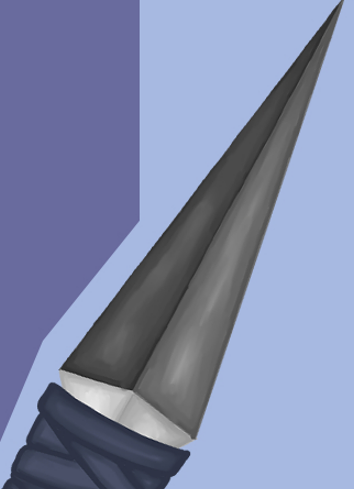
I used the polyline tool to block out the base colour. I mainly used it when creating the weapons, as weapons are sharp, and so are the edges of the polyline tool. This went together well.
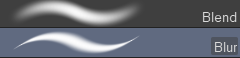
I used the blend and the blur tool to make realistic shadows and highlights. This is a common technique used to get semi-realistic shading and highlights.
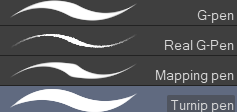
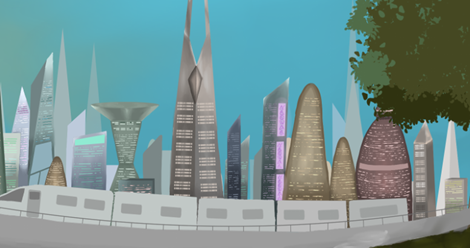
I used these simple brushes to create straight lines with no added texture. I also used them to create tiny details. For example, the lights on the skyscrapers in the background of this environment are when I used these brushes to make it.

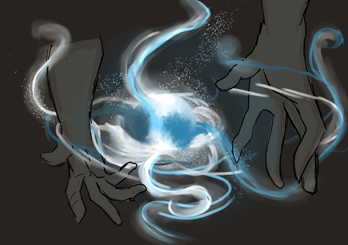
I used this brush and these droplet sprays to create this artwork. I also used a glow overlay layer to create a glow effect.
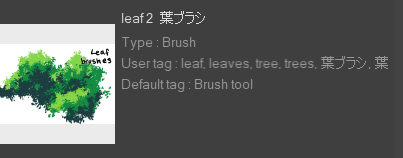
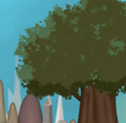
I used this technique and this downloaded brush to create a layered tree.
Why I took side character turn around and expression sheet away
I thought that taking away more details of my side character would help the main character shine more. I wanted the MC to be the focus point for this project, so by focusing on her, I would also be going into more detail on her, for example, having an expression sheet and multiple splash arts. This would also make it obvious to the viewer who will be looking at the art book, who the main character is. Having all the characters have the same amount of detail would take away the whole purpose of having a main character and side characters.
Designs for art book
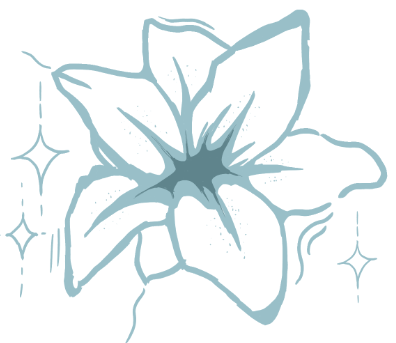
This design will be on the side character 1 page as i think it fits well with her character. It also adds more uniqueness to the art book. I designed this in a similar colour palette to the character.
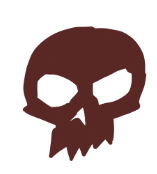
This design is for the side character 2 page as it fits well with his punk style. It also resembles the skull design on the characters tshirt.
How are my designs Afrofuturistic?
i think my designs are 100% afro futuristic as i was able to blend both culture with the futuristic vibe creating multiple afro futuristic inspired pieces.
Pinterest and Art station
Throughout this project, I used a lot of inspiration and references from the two platforms, Pinterest and Art Station. This is because I feel as though these two platforms are best known for having the most inspiring art on them. Whenever I am stuck on a design, I will always have a scroll on one of these two apps to look for something that could help me with my art block. I find the images on there to be very helpful, especially during the design part of this current project, as they influenced a lot of different positive changes in my designs.
How I pushed boundaries
I pushed boundaries by constantly experimenting and exploring through both the pre-production and production stage of this project. This pushed boundaries as it isn’t something I would normally do. Normal i would research beforehand and finalise it the do the production, but researching throughout both helps develop my character well.
How I stayed organised
I stay organised by making a list of what I need to do design-wise on my phone so it is easily accessible. I go through that list and see what things I can get done today, and once they’re done, I can take them off. For my art book, I made a list of all the designs I need to include. Once each design was done, I would then take that off my list so I was able to keep track of what needed to be done and what had been done.
Initial sketches vs final outcome
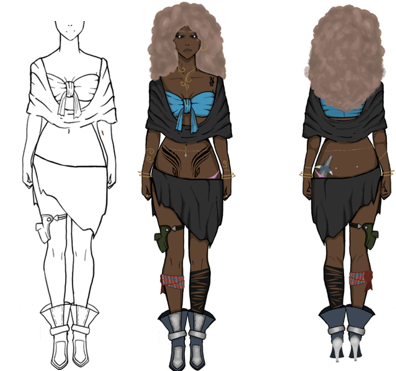
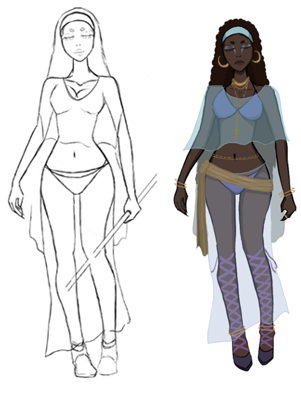
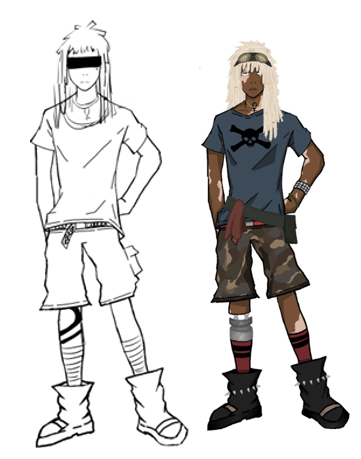
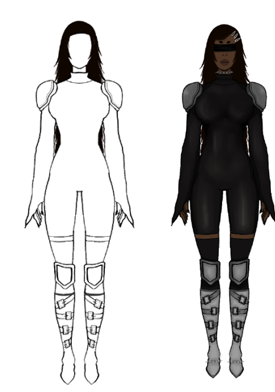
Does my final outcome match up to my initial idea?
I would say out of all my pre-production sketches both characters and environments they do not match up with the final outcome. This is because, throughout the production stage, i continued to research more and more which inevitably make my characters and environments improve bit by bit so when you compare the sketches to the final outcomes they do not match up.
Art style comparison
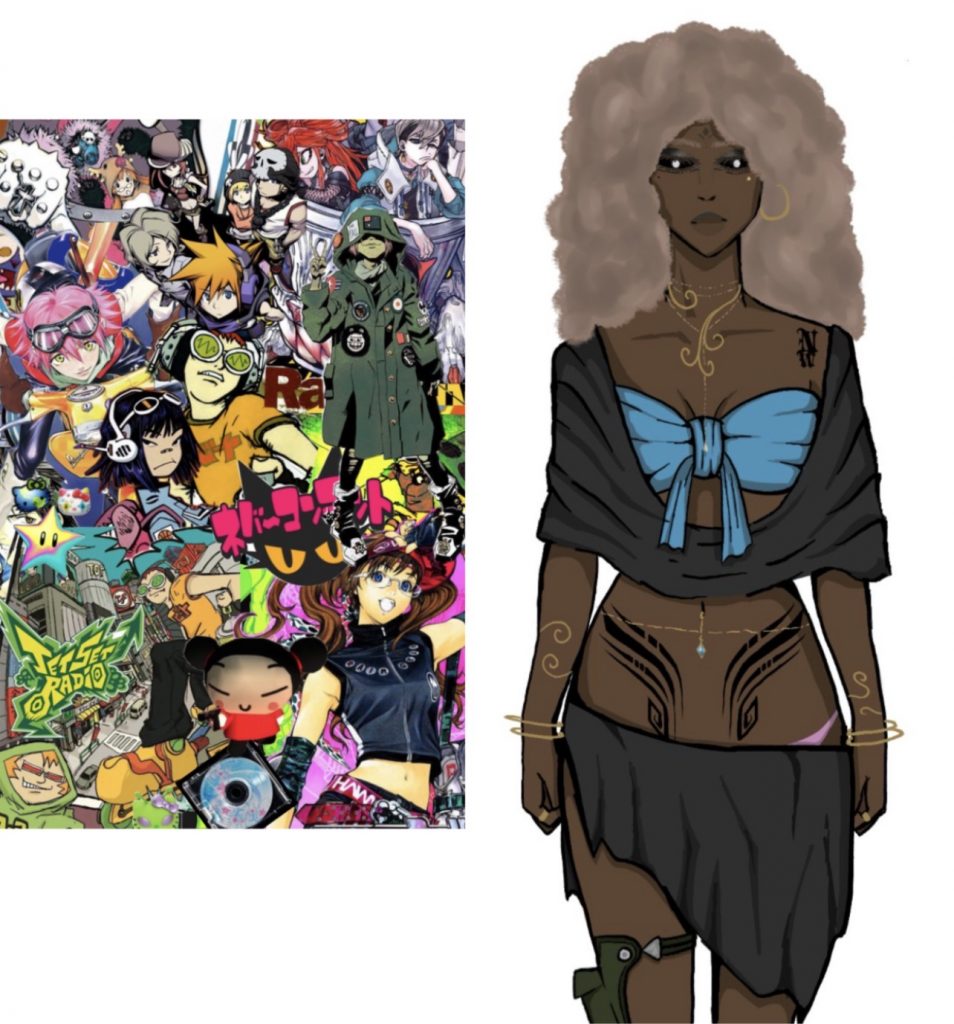
I would say i was successful in replicating the Shibuya punk art style for this project. If you look at it from a side by side comparison, you can see that the art styles are very similar. Some feedback from peers also tells me that they also think that the art style fits the Shibuya Punk theme.
How I applied my research to my project artworks
My research into things like character design inspirations as well as my design planning research for my art book effected the outcome of them both creating a good outcome. Which shows how successful the research was when applied to my art works.
Layer layout
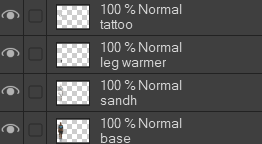
i used this same type of layout for nearly all my art works as it helps me stay organised and able to tell what layer is for what. For example layer ‘sand’ is also know as to me as layer shadow and highlight where i add the shadow and highlights into the art work.
My skills in this project
I would say that my skills are about the same as they were in last years project. The only difference being is that i went over some of the things i learned to my skills would go rusty for example:
. Photo bashing skill
. Paint Over skill
Software used
. Clip Studio Paint – Clip studio paint is the main software i used to create all my character and environment design as well as my art book page layout design plan.
. Adobe Photoshop – I used adobe photoshop in class to add to my page layout design.
. Adobe illustrator – I used adobe illustrator in class to make sketches that i could then later on develop at home.
. Ibis Paint – I used ibis paint to make quick sketches on the go on my phone
. Maya – I used maya to make simple 3D blockouts in the experimental part of this project
. Puref – I used puref for annotations in designs as well as making mood boards.
. Microsoft PowerPoint – I use PowerPoint to create my submission PDF
. Apple Notes app – I used the notes app on my phone while on the go to make a note of anything in class as well as to keep organised throughout the project. I would use it to keep track of what needs doing and what has been done
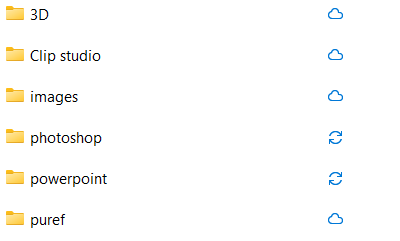
File management



Leave a Reply