SPRING BREAK GAANT CHART
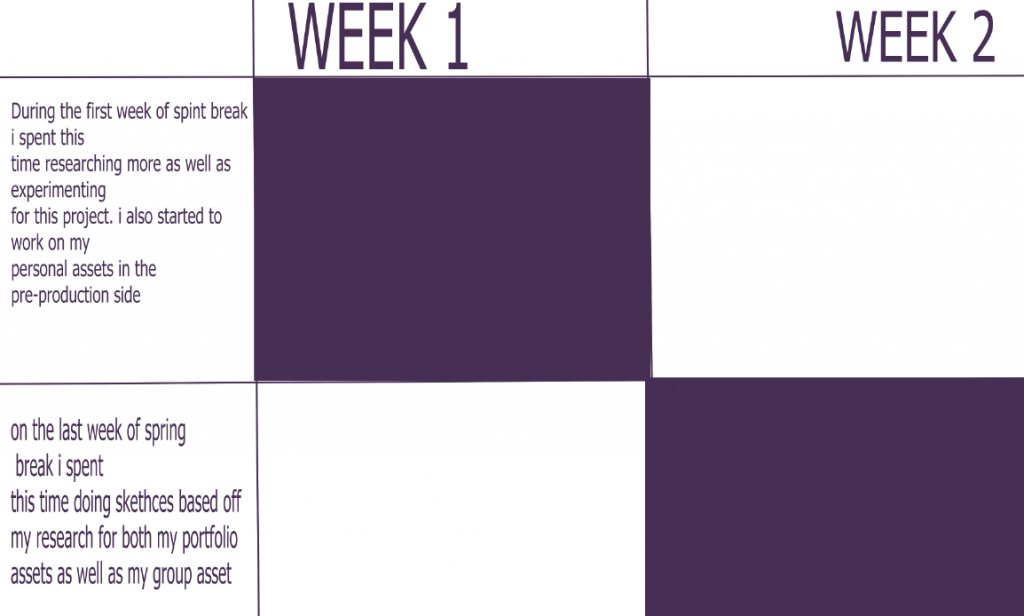
My though process when making gaant charts
When making the Gantt charts for both the main project and for spring break, I took many things into consideration, such as:
. researching
. pre production sketching and experimentation
. The production stage
. getting feedback
. workshops
and so much more.
Professional presentation pack – continuation
My skills:
- 3D modelling – fluently able to 3D model basic models . More
complicated models may need a tutorial or two as well as a bit of help. - Environment design (2D) – Able to create 2d environments using any
- 3D sculpting – I am able to sculp my 3D character models only in
ZBRUSH. - Character design – Able to proficiently create a character either using
a reference of without o any 2D software I am experienced in. - Graphic design – I am experienced in doing graphic design posters as
that is what I did for my college course. This allowed me to be
experienced in adobe photoshop and illustrator. - Concept art development – I can proficiently create both character and
environments as well as being experienced in the process of their
development. - Animation (2D) – I can do basic animation in clip studio paint, but any
other complicated animation would need a tutorial. - 2D& 3d art creation – I can make 2D and 3D artwork in various
software.
How will the skills i have gained increase my employability?
Over the years the amount of skills i have gained are started to pile up. With game companies they would want someone who has a lot of skills in what they are hiring for so having more than one skill in 2D and 3D design would make you more employable.
Week 1:
Activity 1 –
“In groups of 2-4, write examples of game features you love in multiplayer video games. Organise your ideas in the following categories:
●Emotions (how does the game make you feel?)
●Mechanics (what systems does it use?)
●Narrative elements (how does it tell its story?)
●Anything else (go wild!)”
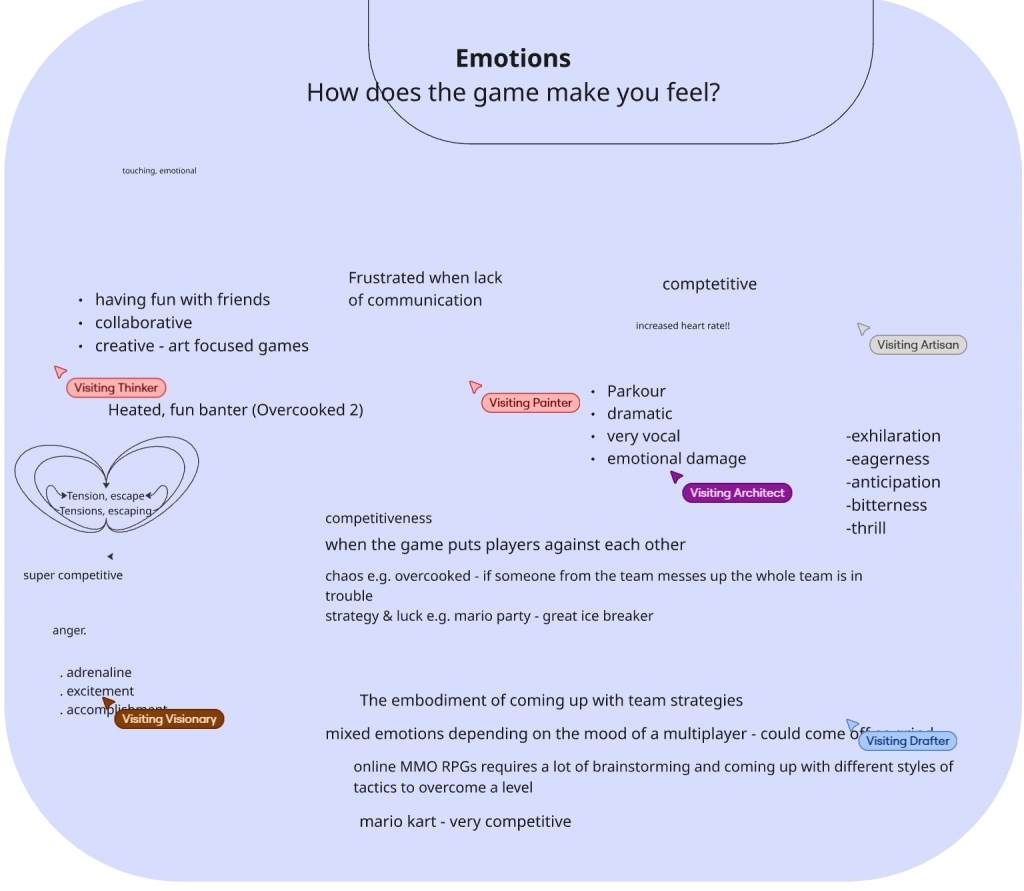
This activity is what we had done in the first week of this project. We did this because, it helped us finalise what game we wanted to do as well as look into the details of what it takes it make a game.
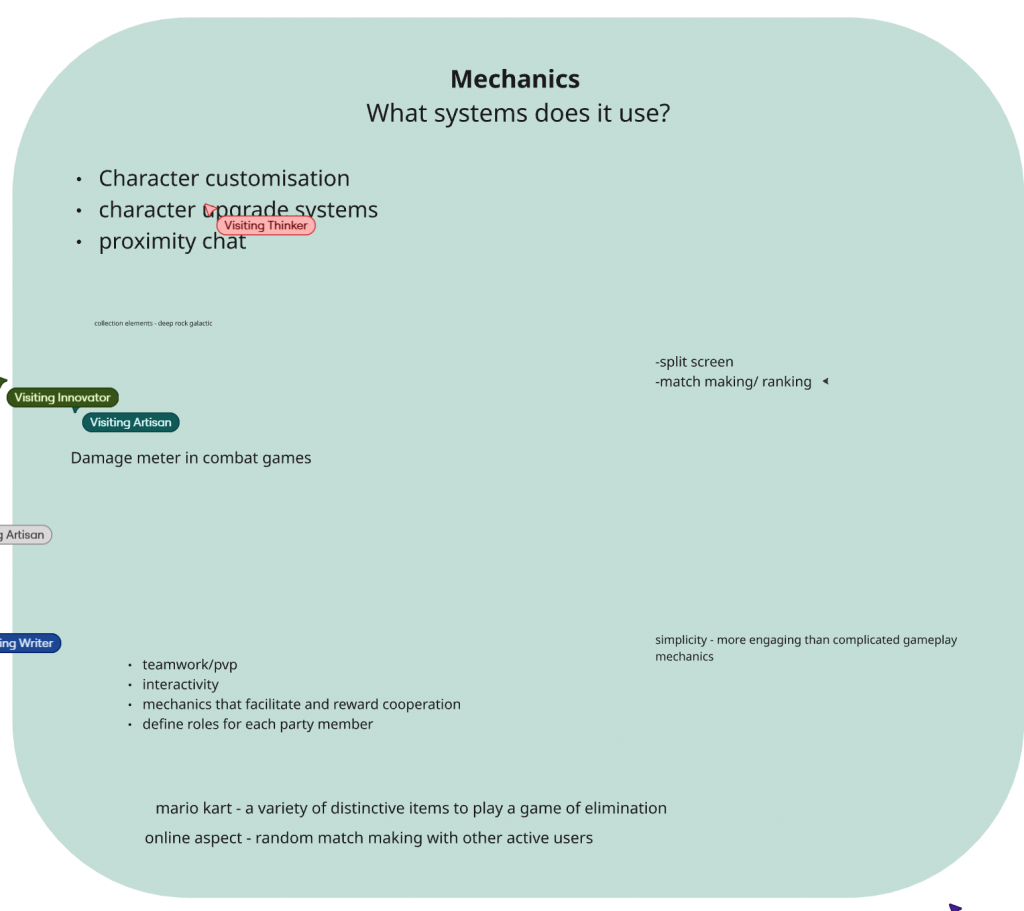
One of the details we looked at was game mechanics.
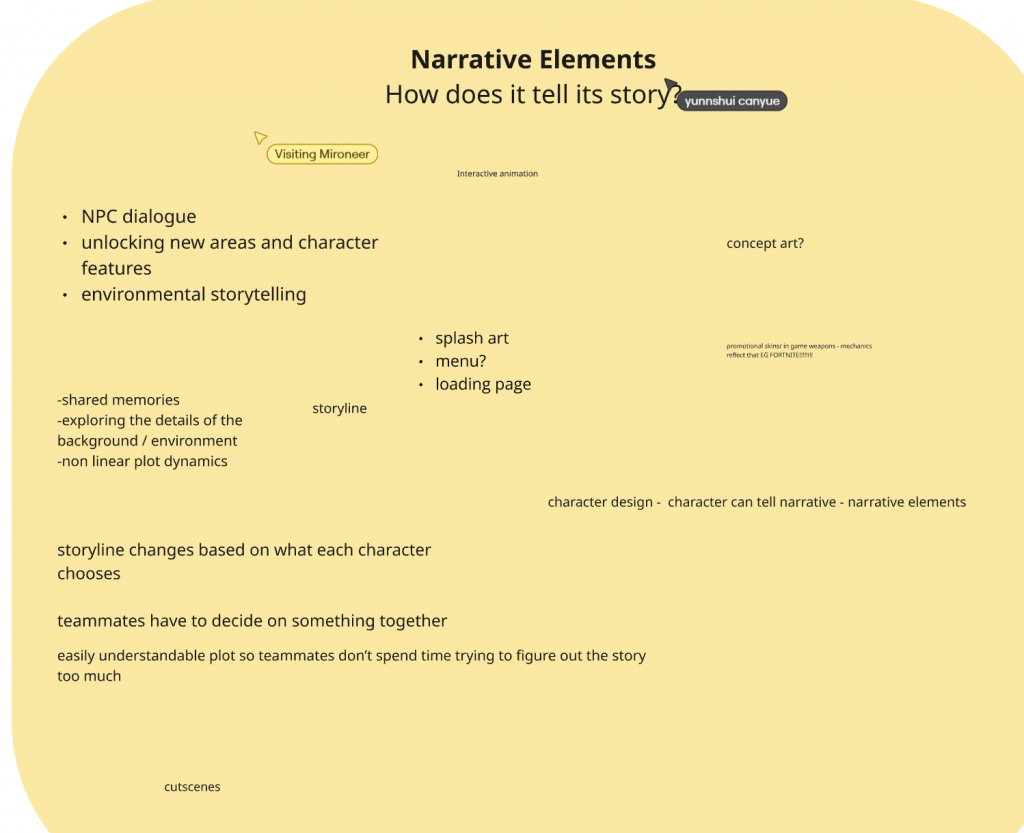
We also looked at the narrative of the game which would help us when making the game plot.
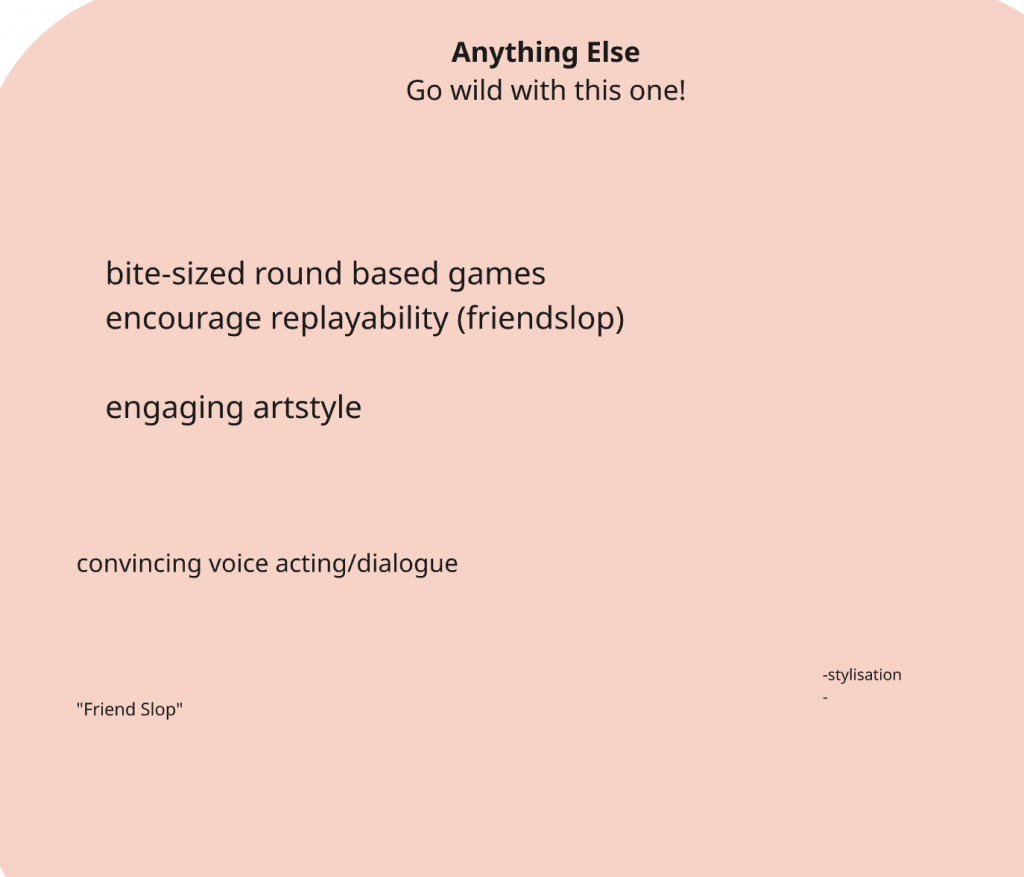
This part of the task was vey beneficial as it allowed us as a group to talk about aspects of the game in more detail such as the art style guide, the dialogue etc.
Activity 2:
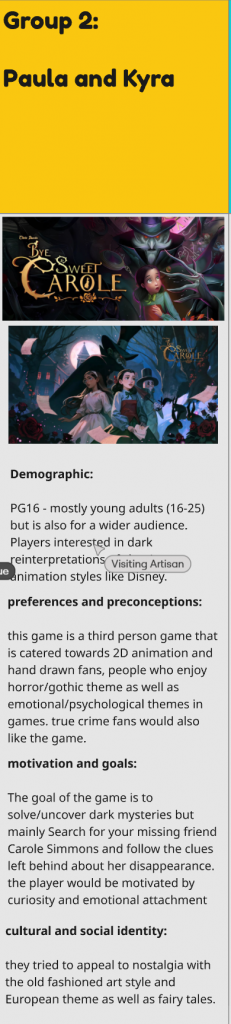
For this in-class activity, I paired up with a peer in class to discuss possible inspiration and an idea for a game we could then pitch to the rest of the class.
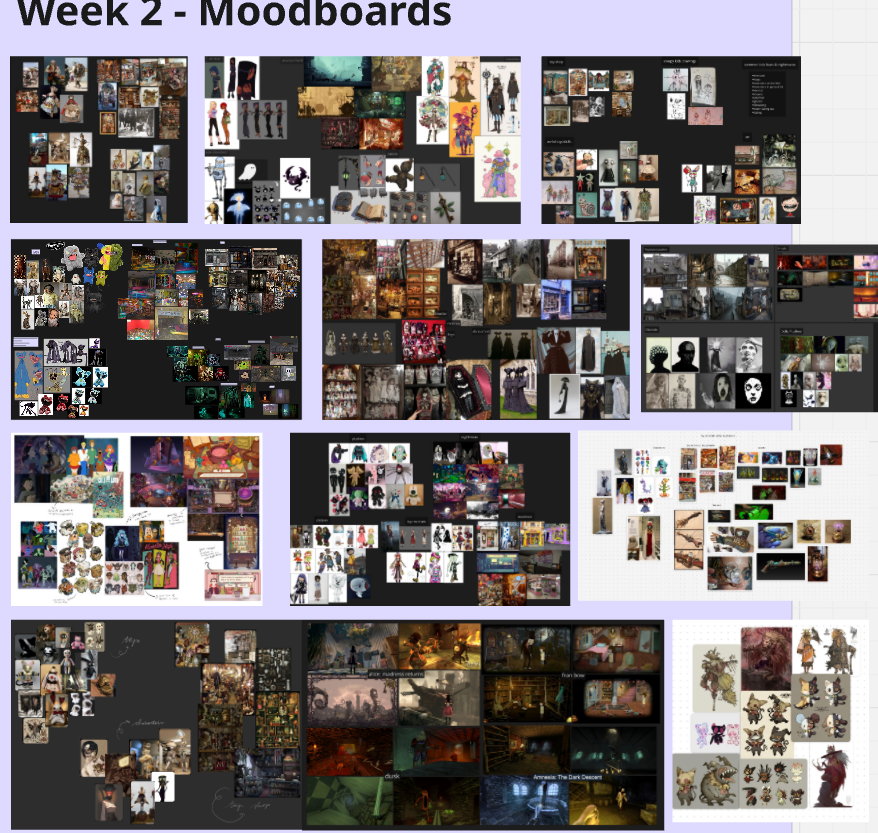
Looking at all the mood boards put on Miro gives me a lot of inspiration for the types of sketches I could produce. Looking at all the ideas everyone has come up with is a great help when looking back for some inspiration or ideas.
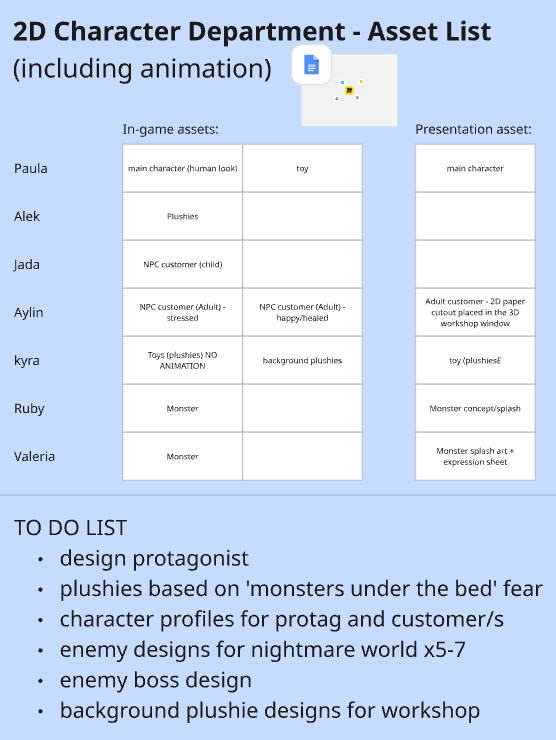
To be more organised in departments we made tables like these in miro so anyone can look can at them online or add to it.
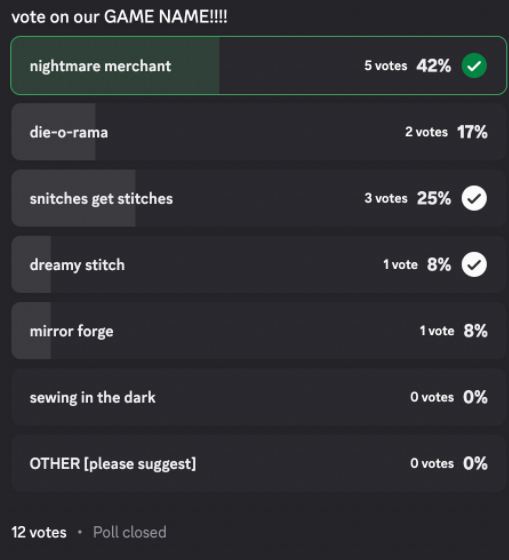
After further research, on Miro, we had a poll to finalise the name of the game.
COLOUR PALETTE
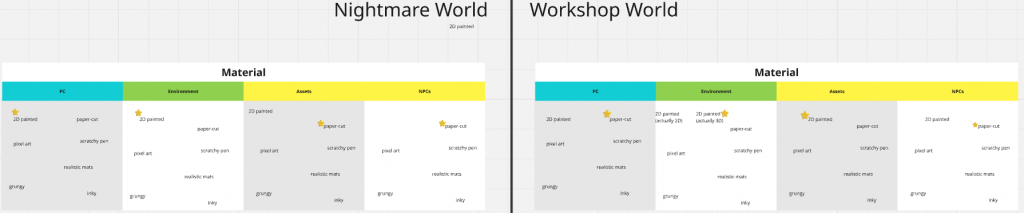

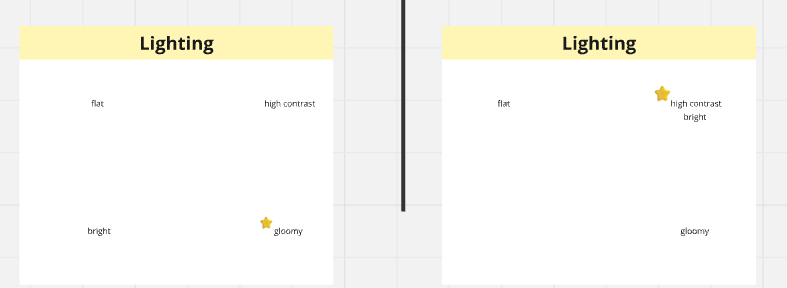
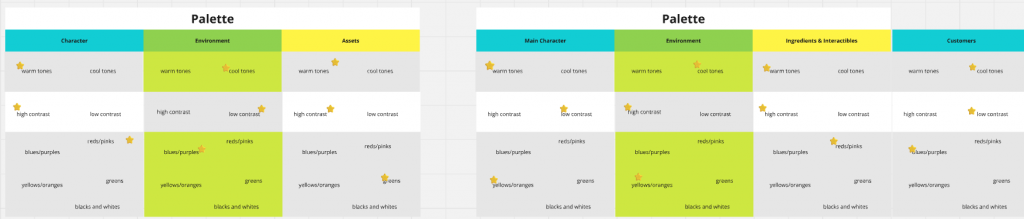
These screenshots are from miro were we had finalised colour palettes for each thing within the game. The layout of this is good as it gives a clear answer on what colour palette is for what asset.
Rough pipeline considerations
The pipeline should prioritise the narrative, dream construction and clear art style
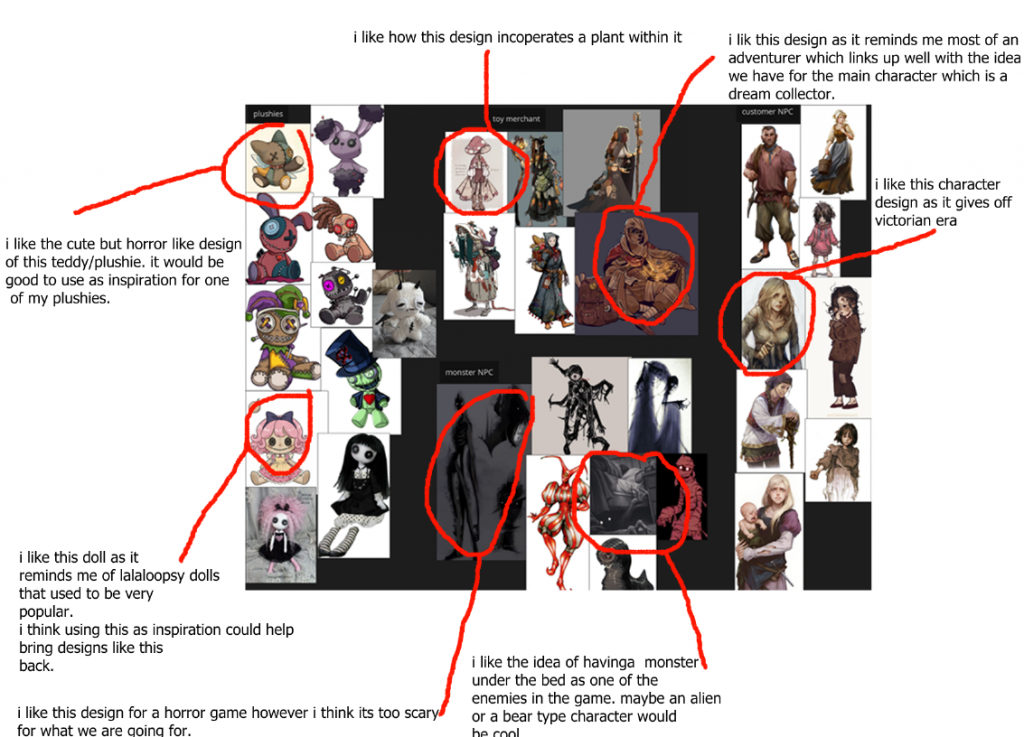
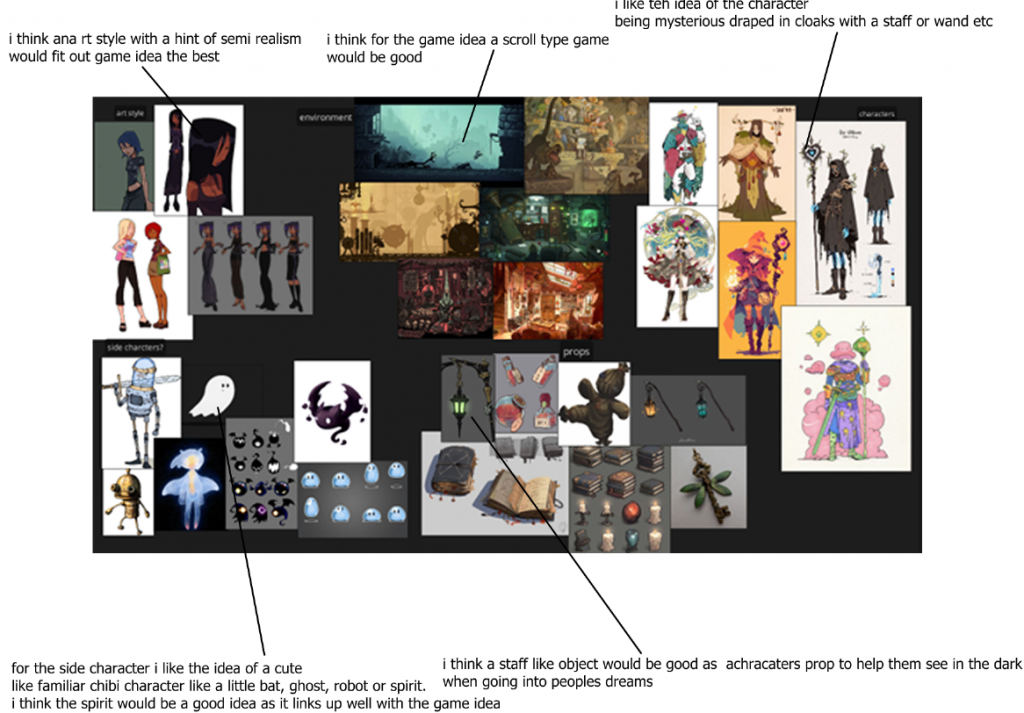
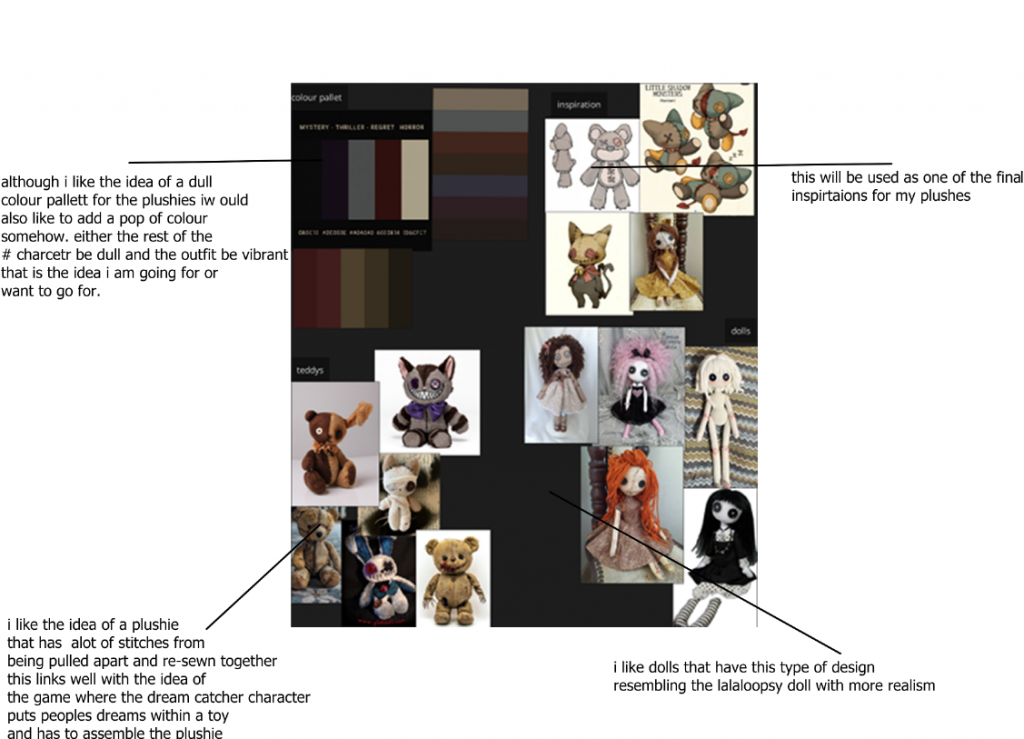
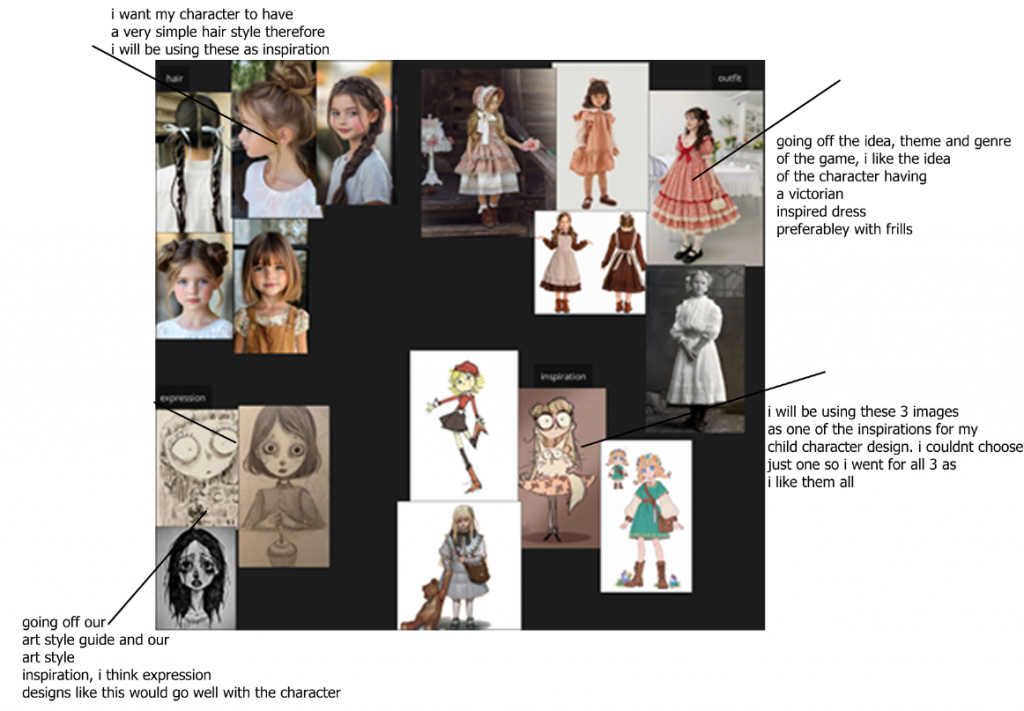
Mood board annotations
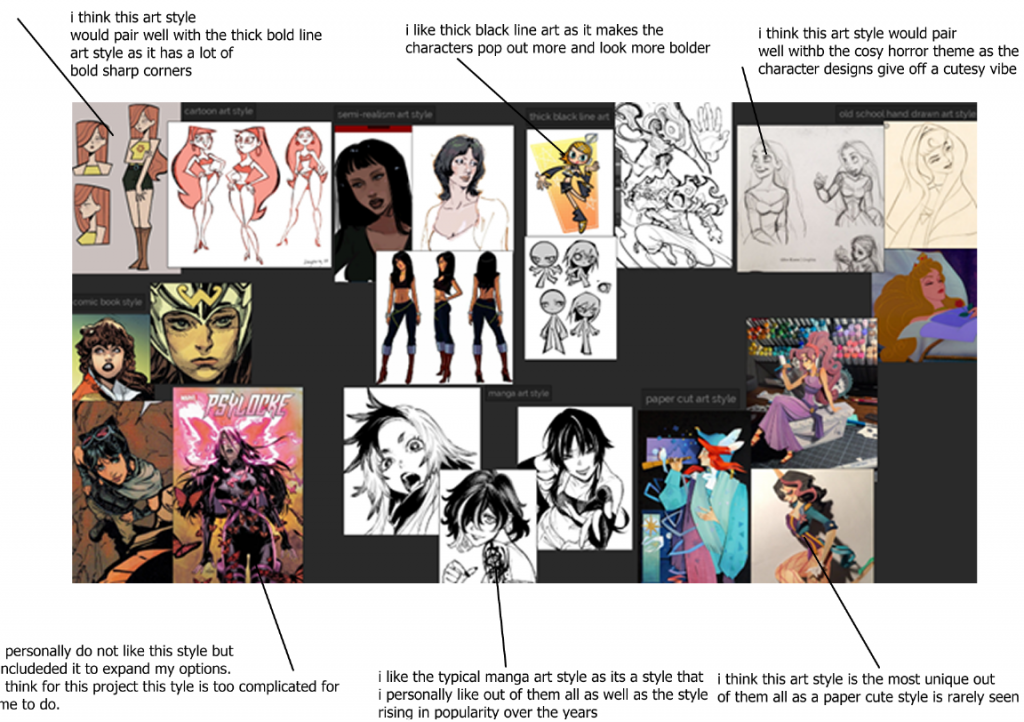
I would like to go further into the Disney-type art style, also slightly the manga style mixed in with the cartoon style. This is because I would like my assets to be stylised, but also a hint of semi- realism.
videos – game walkthroughs
RENTAL THE GAME WALKTHROUGH
RENTAL | Full Game Walkthrough | No Commentary – YouTube
Rental ISN’T about Umi at all | Rental Summary and Analysis (Cozy Horror Narration)
LITTLE MISFORTUNE WALKTHROUGH/GAMEPLAY
LITTLE MISFORTUNE Full Game Walkthrough – No Commentary (#LittleMisfortune Full Gameplay) 2019
Little Misfortune FULL TIMELINE STORY EXPLAINED
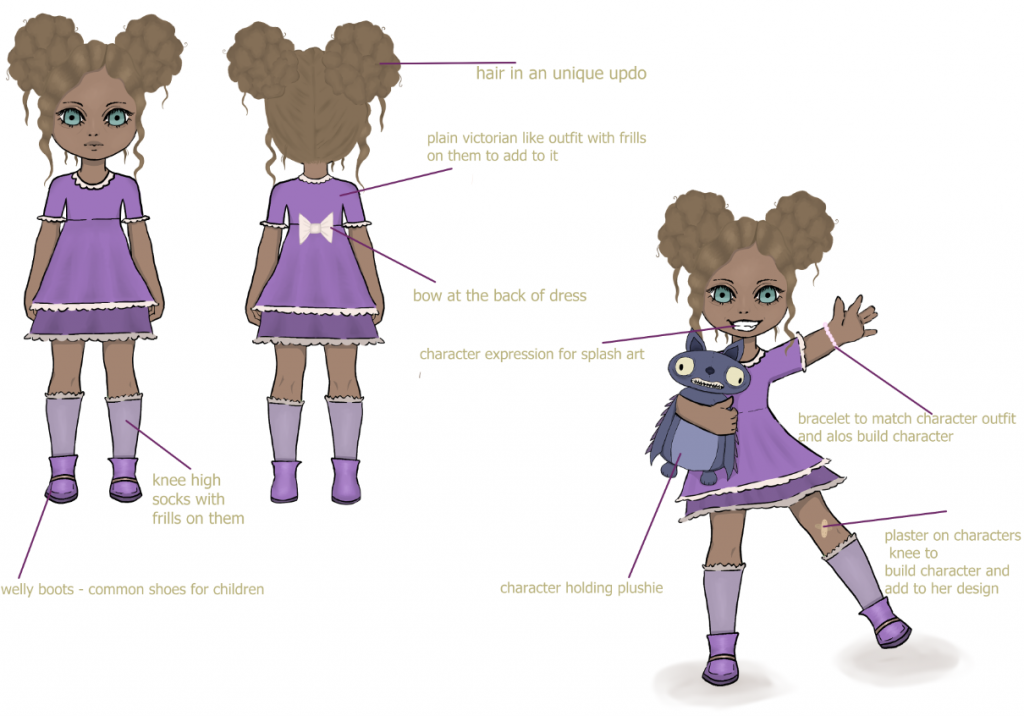
Character annotation
Inspiration VS final outcome
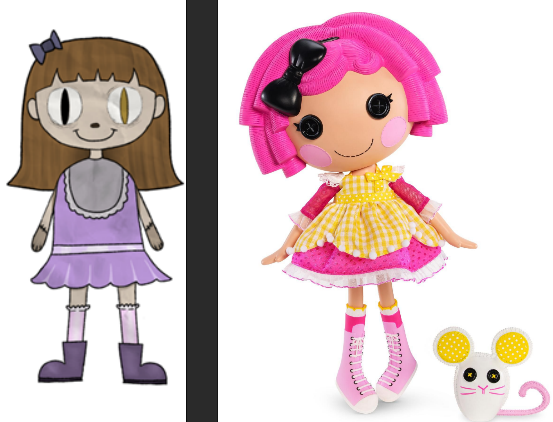
I would say I successfully achieved a style that best resembled the Lalaloopsy doll I used as inspiration. From things like the shape, language, and proportions, I think I got it spot on. The only difference would be that the inspiration doll is a lot more vibrant in terms of colour palette, as well as being a lot more stylised.
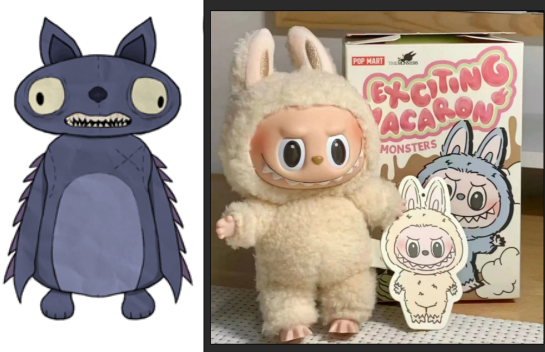
As I used the labubu doll as inspiration from the way they were able to be a blend of cute and horror, I would say I successfully incorporated that into my plushie design. From things like the mouth design to the round shale language.
Production schedule: What went well? what didnt?
I think what went well was the fact that I was able to follow the schedule perfectly week by week and not fall behind, which I have a habit of doing if I get too immersed in a particular part of the project. I think what didn’t go well was that I would have planned the project with more weeks on the ore production stage to allow me to do way more experiments and sketches, which could have resulted in much better final outcomes.
My opinion on all decisions made by the group
I personally agree with most of the decisions made as we had all had countless conversations as a collective to reach a final decision. I wish that more thoughtful was put into the art style and it had been discussed more deeply, as there were many other art styles I liked that I was prepared to pitch to the group, but due to the schedule of the project, there wasn’t much time put into deciding on an art style, which I think is a crucial part of the project.
SWOT ANALYSIS
Strength –
Strong visual idea for outcome – I have a strong idea of what I would want my character to look like, therefore making it easier during the process.
Organisation – I would say I have good organisation skills as I tend to keep things scheduled, so I don’t fall behind with any work.
Working alone – I find I produce better outcomes when I am working on a project alone, but with others’ input only for feedback
Weakness –
Lack of skill – when doing the process of my 2D characters, there may be times when I am unable to produce something due to my lack of skill in that era. For example, having my character look flat would be an example
Indecisive – sometimes, with the character designs, I am indecisive when it comes to the clothing, so it tends to end up taking a bit longer than usual when designing the outfits, as I want it to be perfect and match the character as well as their personality.
Opportunity –
New software – I recently purchased Adobe; therefore, this would give me the opportunity to use a new software, either for sketches or during my process.
Feedback – feedback allows me to listen to others’ opinions about how I could change/improve my work. This could also have a positive impact on my outcome.
Workshops – some in class workshops can help me with improving my final outcomes with things like techniques, etc.
Threats –
Time management – due to the range of characters and environments I will be doing, the amount of time I have to do that could be limited.
Software crashing – my software could crash at any moment when in the process of my final 2D outcomes; therefore, I will need to remember to save as I go.
Final outcome – as my final outcome needs to be bulk printed, there is a possibility that the shipping of the item goes wrong or the order is messed up, causing me to do a new order.
How does my background plushie link to the workshop environment design?
I think the background plushie links well in the workshop environment as I used colours that weren’t too bold and blended well with the environment. This ensured that they didn’t look off being placed within the environment. I also made sure not to add too much detail to them, as it would take away from the main focus point. As they are background plushies, not too much detail is needed.
software used
PowerPoint – I used PowerPoint to add in all my documentation of this project and the process of both my personal assest and presentation group asset.
Adobe illustrator – I used adobe illustrator to in class sketches.
Clip studio paint – Clip studio is the main software i use to create art works. It is similar to adobe illustrator and Procreate.
Miro – Miro was on of the main way everyone in class could share ideas for this project we also finalised a lot of ideas on here as not everyone will be available for the in person sessions so its a great way to communicate.
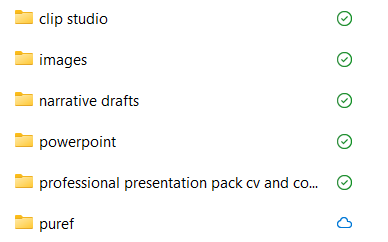
File managment
Leave a Reply